

The Seller Disclosure (QLD) matter type includes all necessary contact cards and layouts to ensure your disclosure obligations are met.
Table of Contents
- Getting Started
- Create a QLD Seller Disclosure matter
- Complete Matter Details
- Preparing Seller Disclosure with One flow
- Preparing Seller Disclosure manually with precedent form
Getting Started
This is a general guide of the information required to create a matter. The minimum details required to create a matter is Matter Number and Seller.
Create a QLD Seller Disclosure matter
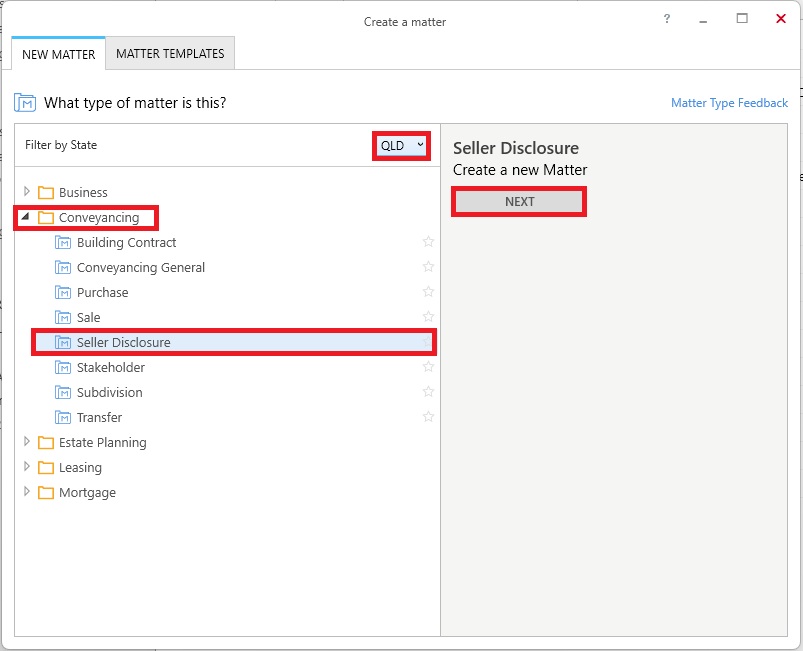
1. Select New Matter from the triConvey Home Dashboard.
2. Select State: QLD.
3. Select Matter Category: Conveyancing.
4. Select Matter Type: Seller Disclosure.
5. Click Next.
Complete Matter Details
1. Double-click Info and complete required details.
Tip: Not all details need to be entered immediately. However, it is best practice to enter as much information as possible to save yourself time when generating documents.2. Click the Seller field and complete required contact details.
Tip: To add an additional Seller, right click on Seller, select Add Seller and then choose from Same Solicitor or Different Solicitor.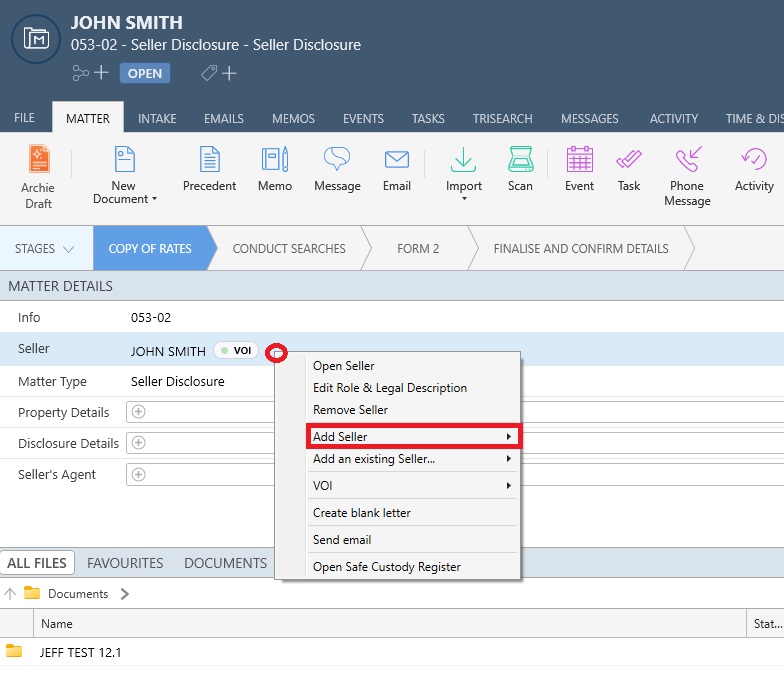
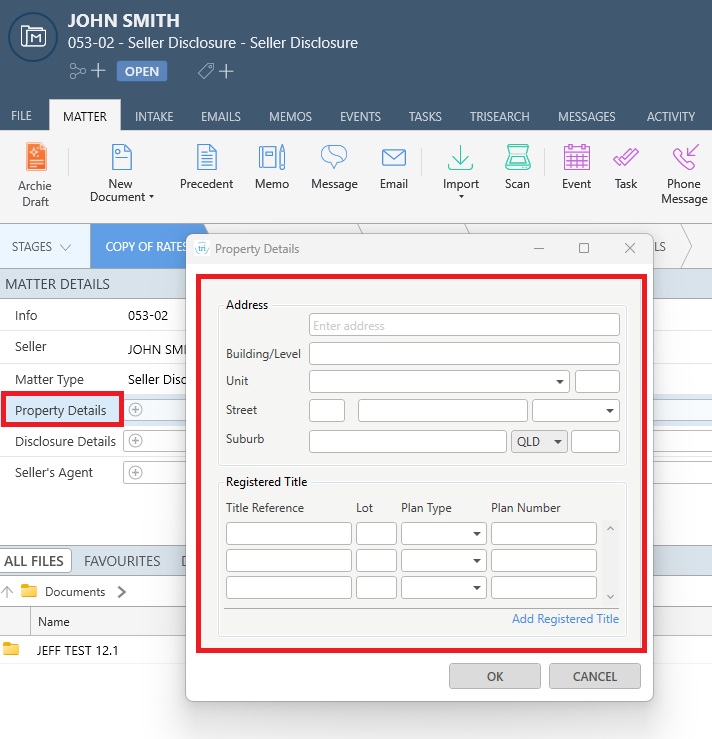
3. Click Property Details and complete required details.
4. Click the Seller's Agent field and complete required contact details.
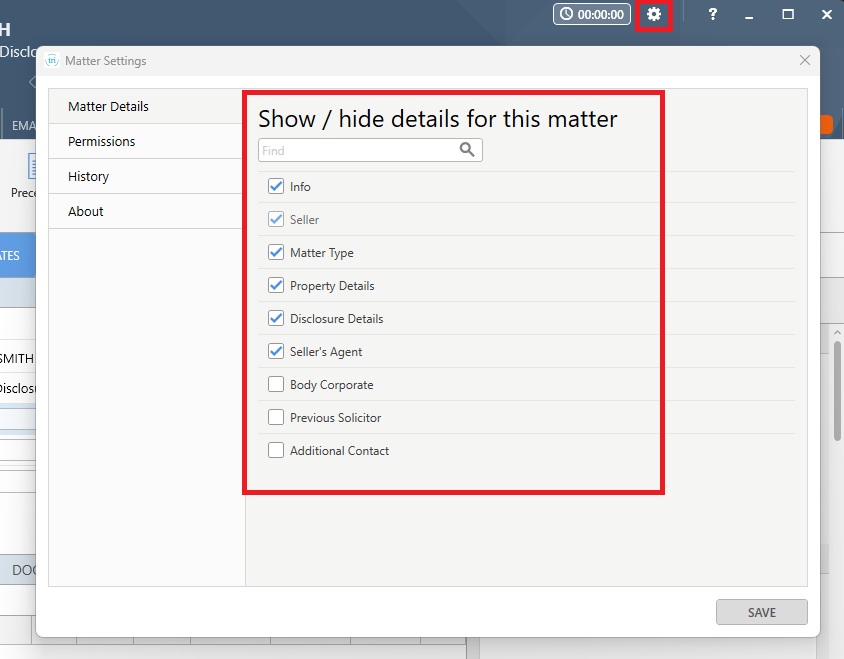
5. To add uncommon contacts to your matter, select the gear icon from the top right corner of the Matter.
6. From Show/hide details for this matter, select the additional contact/s to be displayed in your matter.
Learn how to select uncommon contacts from within the matter.
Preparing Seller Disclosure with One flow
1. Click the triSearch tab from the matter.
Tip: You will be directed to the One flow interface.
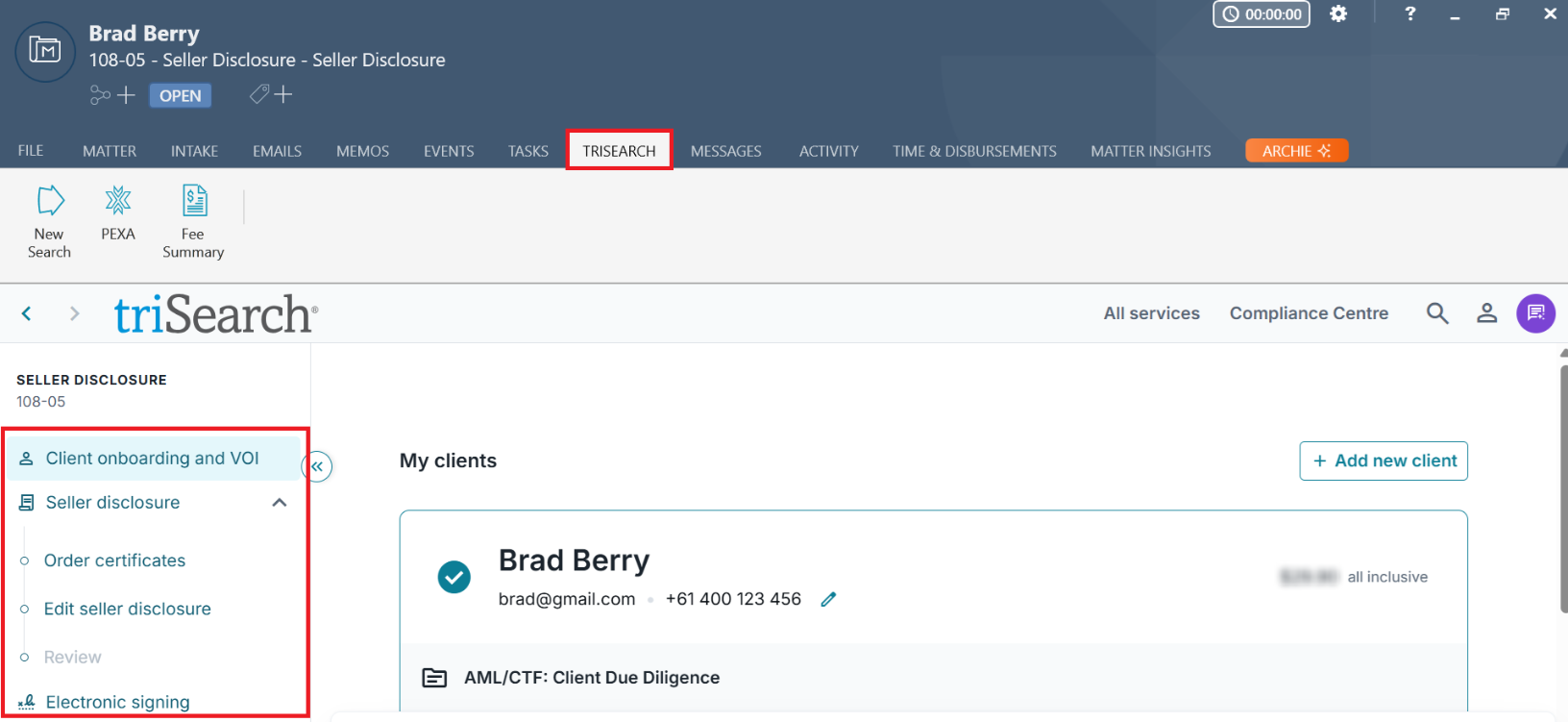
2. The One flow milestones can be found in the left panel, where you can commence Client onboarding and VOI, order the Seller disclosure certificates, prepare the Seller Disclosure Statement and send for electronic signing.
Preparing Seller Disclosure manually with precedent form
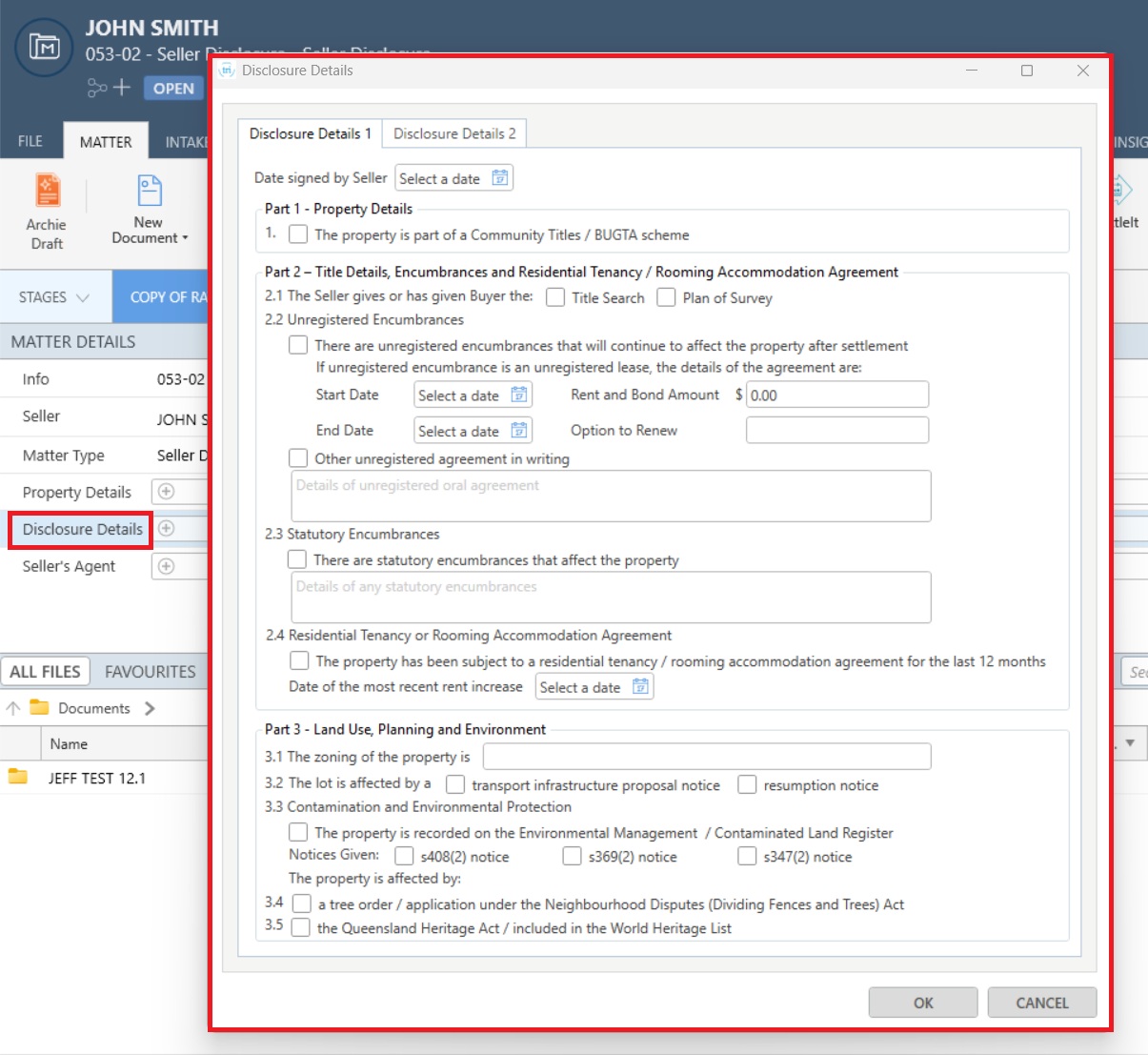
1. Click Disclosure Details from the matter, and enter the Disclosure information under Disclosure Details 1 and Disclosure Details 2.
Precedent Library
The Seller Disclosure matter provides access to the Conveyancing (QLD) Precedent Profile with pre-set Precedent Library folders which include non-legally drafted precedents for everyday use, together with shortcuts to commonly used documents found under Court & Authority forms.
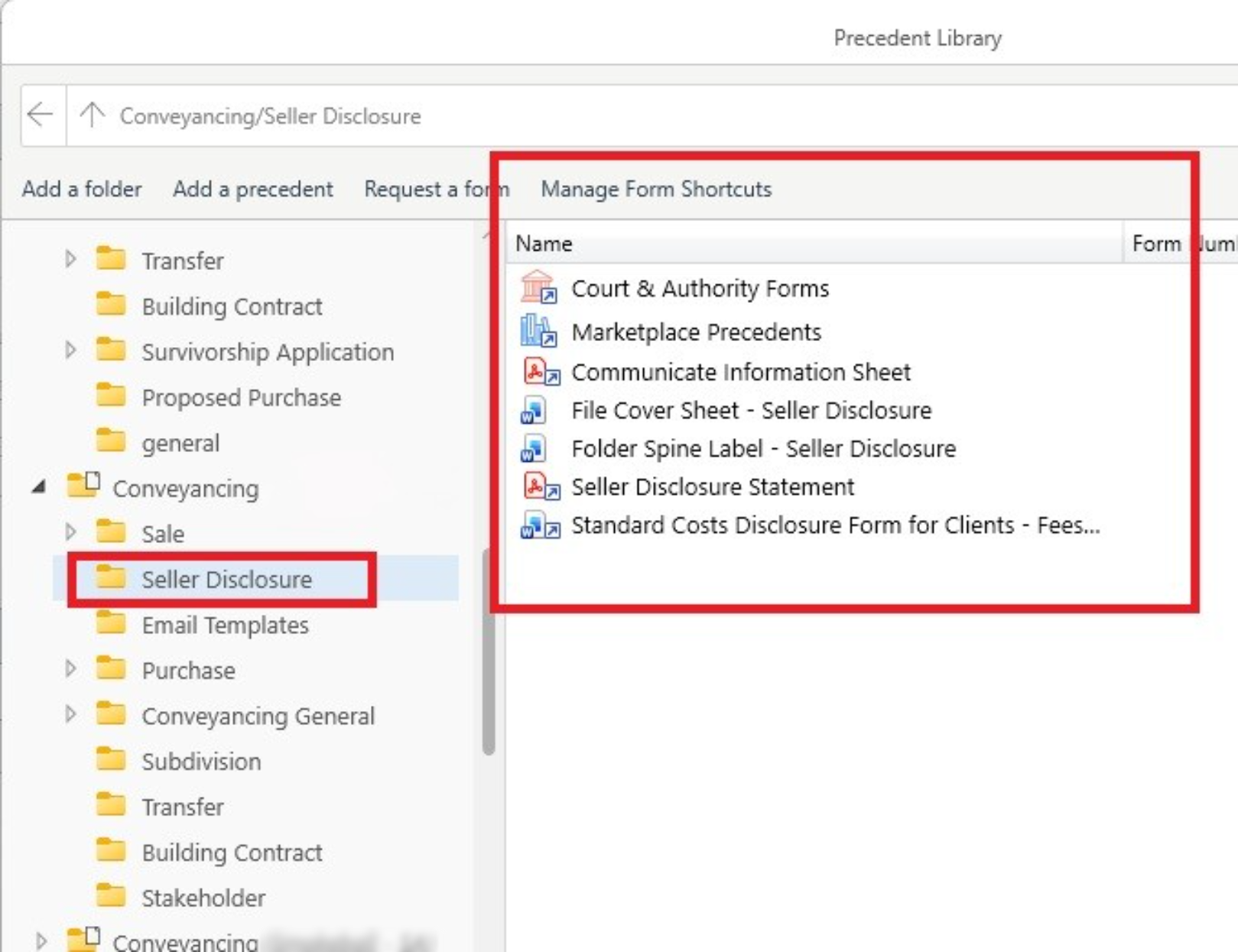
If the Precedent Profile does not appear in the Precedent Library, please ensure that you have subscribed to the Precedent Profile.
Was this article helpful?
That’s Great!
Thank you for your feedback
Sorry! We couldn't be helpful
Thank you for your feedback
Feedback sent
We appreciate your effort and will try to fix the article