

From 1 July 2026, AML/CTF obligations apply to tranche 2 professions and businesses, which include Lawyers, Conveyancers, Accountants, Real Estate Professionals and Trust and company service providers.
Table of Contents
- Key obligations
- Recording AML/CTF details at a contact level
- Recording AML/CTF details at a matter level
- Accessing the triSearch AML/CTF Compliance Centre
Key obligations
- Enrolling and registering with AUSTRAC
- Developing and maintaining an AML/CTF program tailored to your business
- Getting your staff ready to implement AML/CTF obligations
- Conducting initial and ongoing customer due diligence (CDD)
- Reporting certain transactions and suspicious activities to AUSTRAC
- Maintaining records of your AML/CTF obligations
Learn more about each key obligation from the AUSTRAC website.
AUSTRAC have also provided Program Starter Kits for the legal industry to assist your firm with meeting obligations.
Recording AML/CTF details at a contact level
Before you begin: You must be on Version 9.15 or later of the triConvey Desktop App.
To assist with record keeping at a contact level, select the AML & VOI Details tab in a contact card.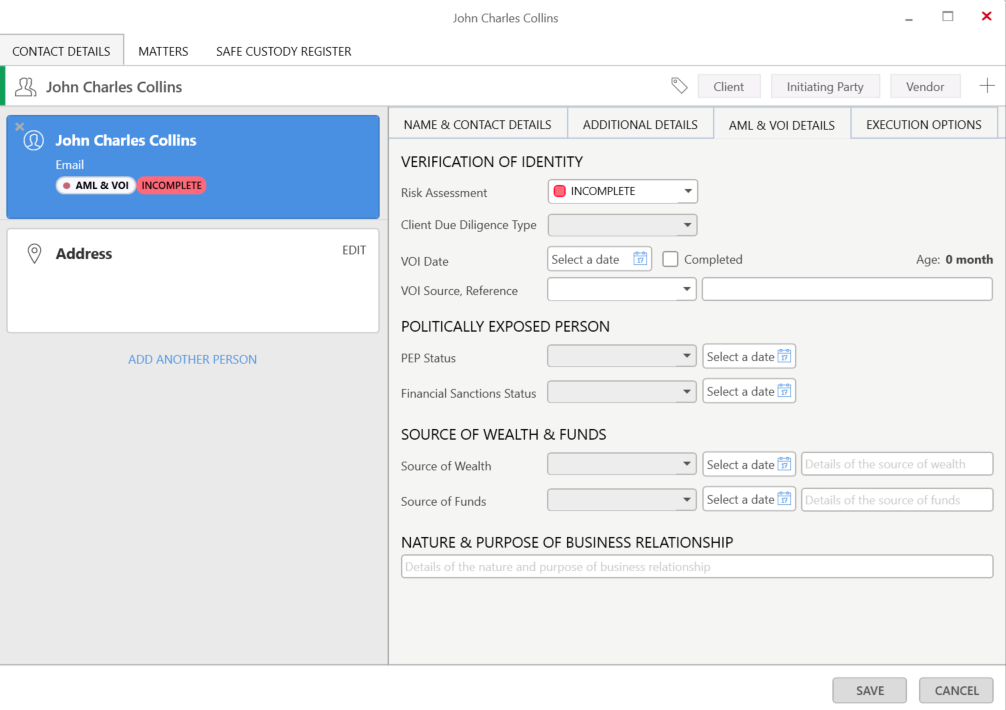
The following fields are available for each contact:
| Individual-Type Contacts | Organisation/Company -Type Contacts |
|
|
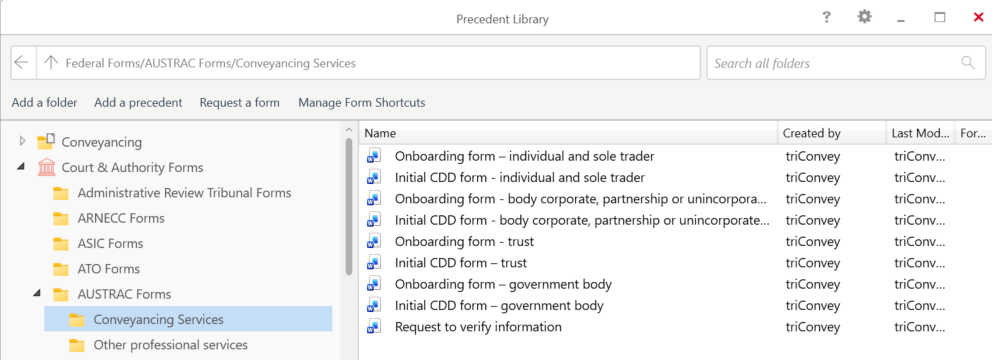
To assist with collecting this data from your clients, use the AUSTRAC Forms in the triConvey Precedent Library.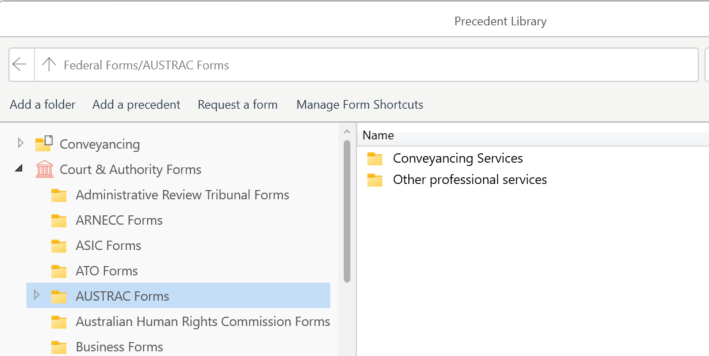
Viewing a contact's risk assessment status
Risk Assessment status for a contact can be viewed at a glance from the Contact Details Widget.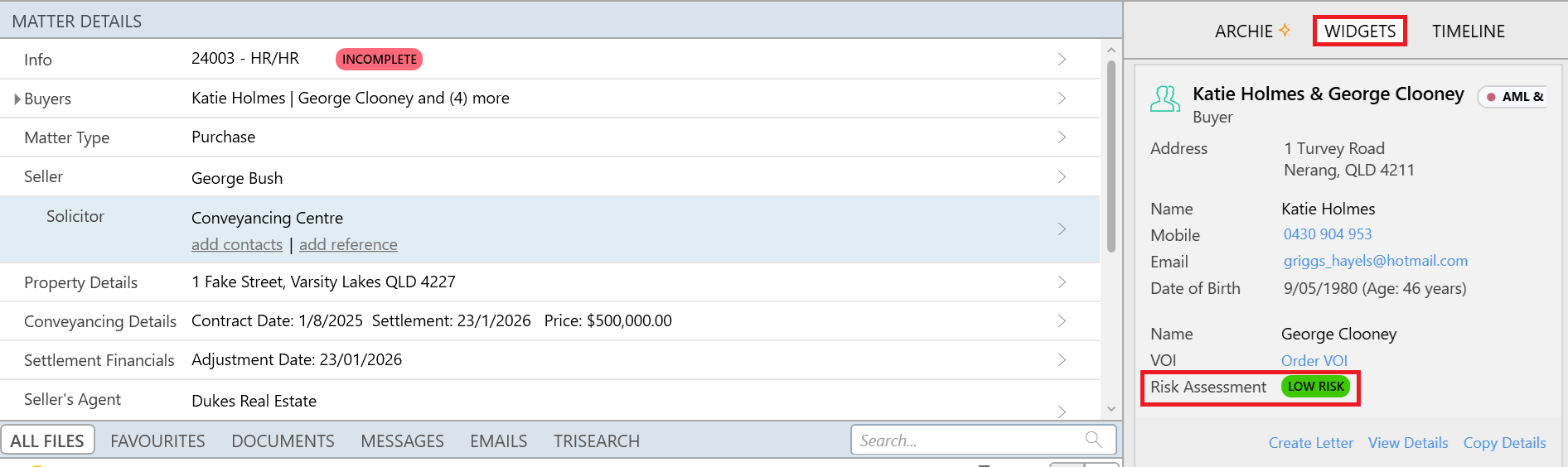
You can also enable the Risk Assessment column on the main Contacts View.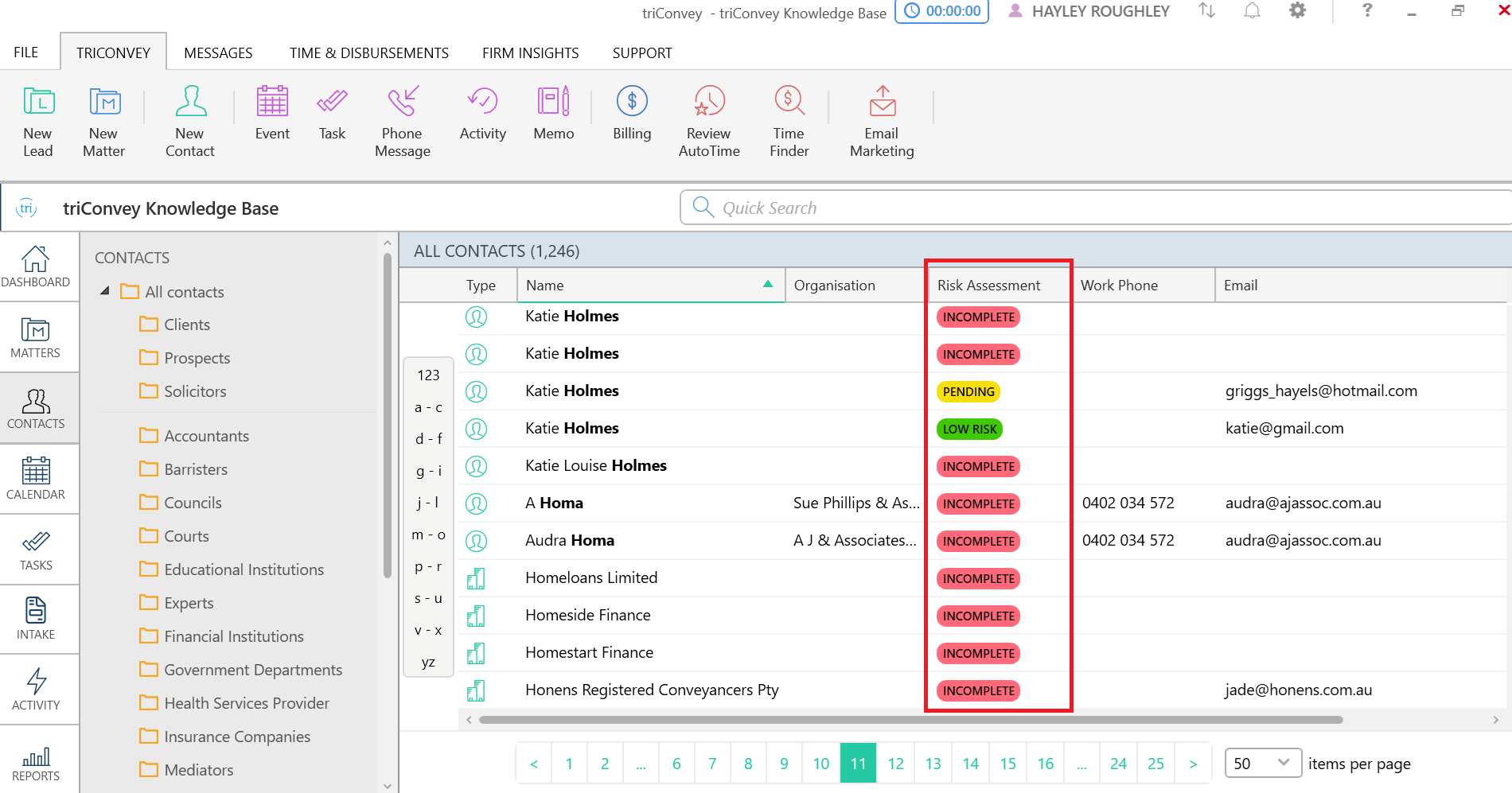
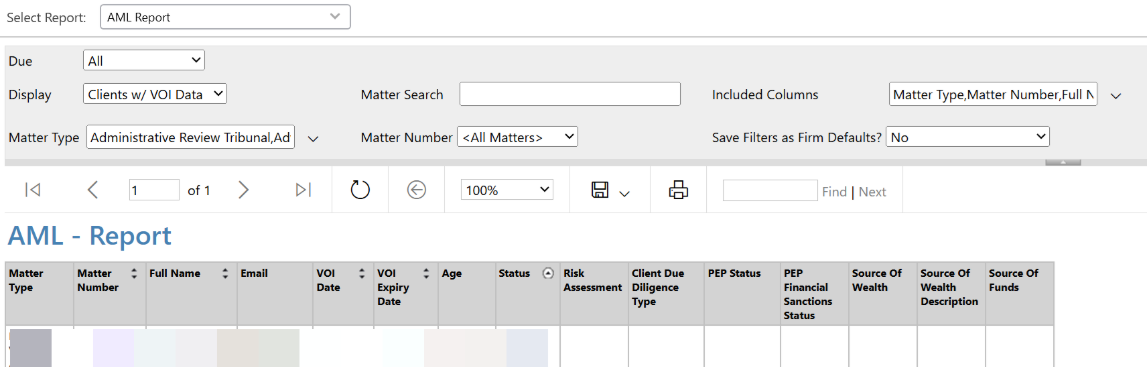
The AML Report allows you to run a report on clients with VOI data or clients without VOI data. The report columns include:
- Matter Type
- Matter Number
- Full Name
- Email
- VOI Date
- VOI Expiry Date
- Age
- Status
- Risk Assessment
- Client Due Diligence Type
- PEP Status
- PEP Financial Sanctions Status
- Source of Wealth
- Source of Wealth Description
- Source of Funds
Recording AML/CTF details at a matter level
Before you begin: You must be on Version 10.1 or later of the triConvey Desktop App.
To record AML/CTF obligations on a transaction-by-transaction basis for each designated service you provide to the same client, we recommend recording them at a matter level instead of contact level.
Open a matter in the triConvey Desktop App and double-click the Info line under Matter Details. Then, select the AML/CTF tab to access the Risk Assessment.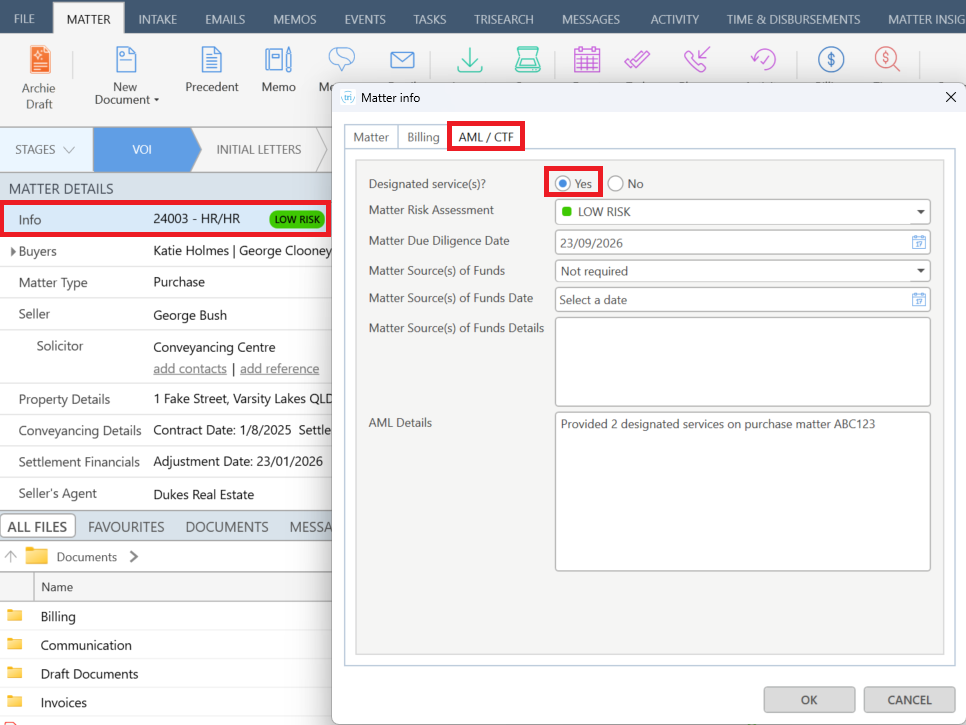
Next to Designated service(s)?, select Yes or No.
- If you select Yes, complete the additional fields in the window, then select OK to save.
- The Matter Risk Assessment field captures the risk profile of the transaction/matter and should remain static for historical accounting purposes.
- The Matter Due Diligence Date should be when the AML activities have been completed (in the future, this field will sync with triSearch when you click Onboard in the Compliance Centre).
- The Matter Source of Funds and related fields capture where the money the client is using to pay for these designated service(s) is originating from.
- Enter any additional notes in the AML Details field.
- The Matter Risk Assessment field captures the risk profile of the transaction/matter and should remain static for historical accounting purposes.
- If you select No, the additional fields in the window will be disabled and the Matter Risk Assessment changes to Not Applicable. Select OK to save.
Viewing a matter's risk assessment status
The matter's Risk Assessment status can be found at a glance in the Info line under Matter Details.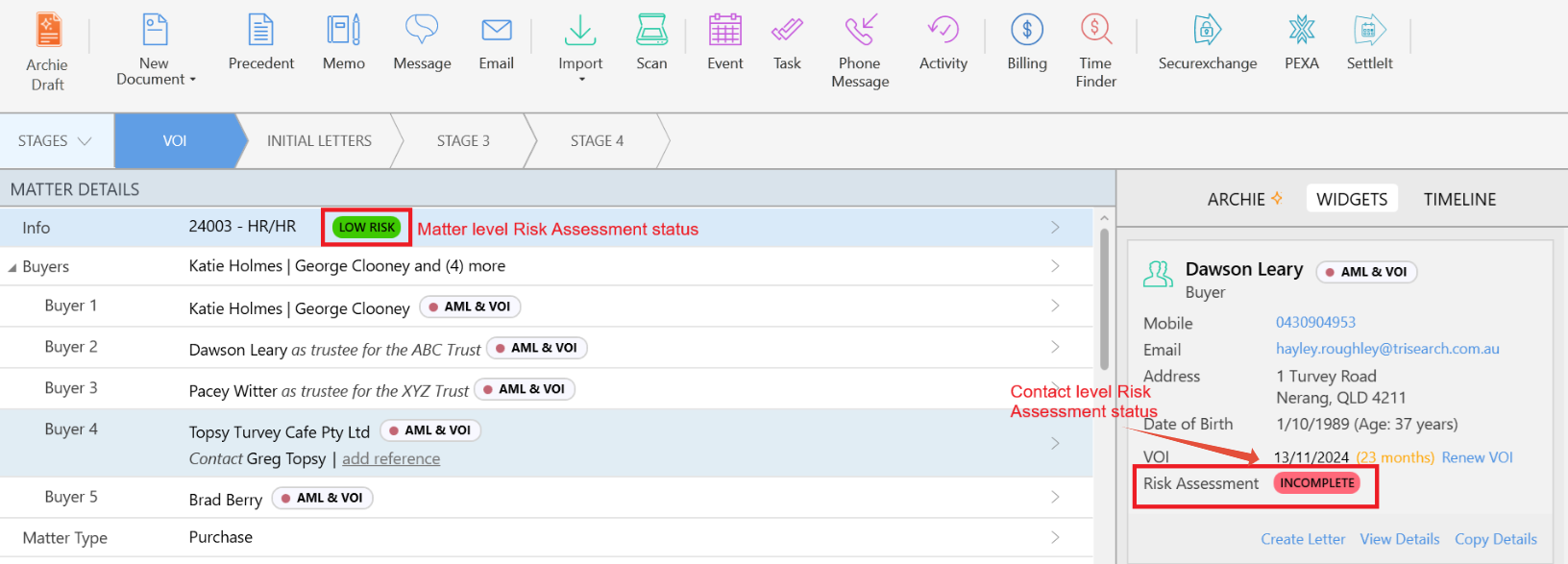
You can also enable the Risk Assessment column on the Matter List.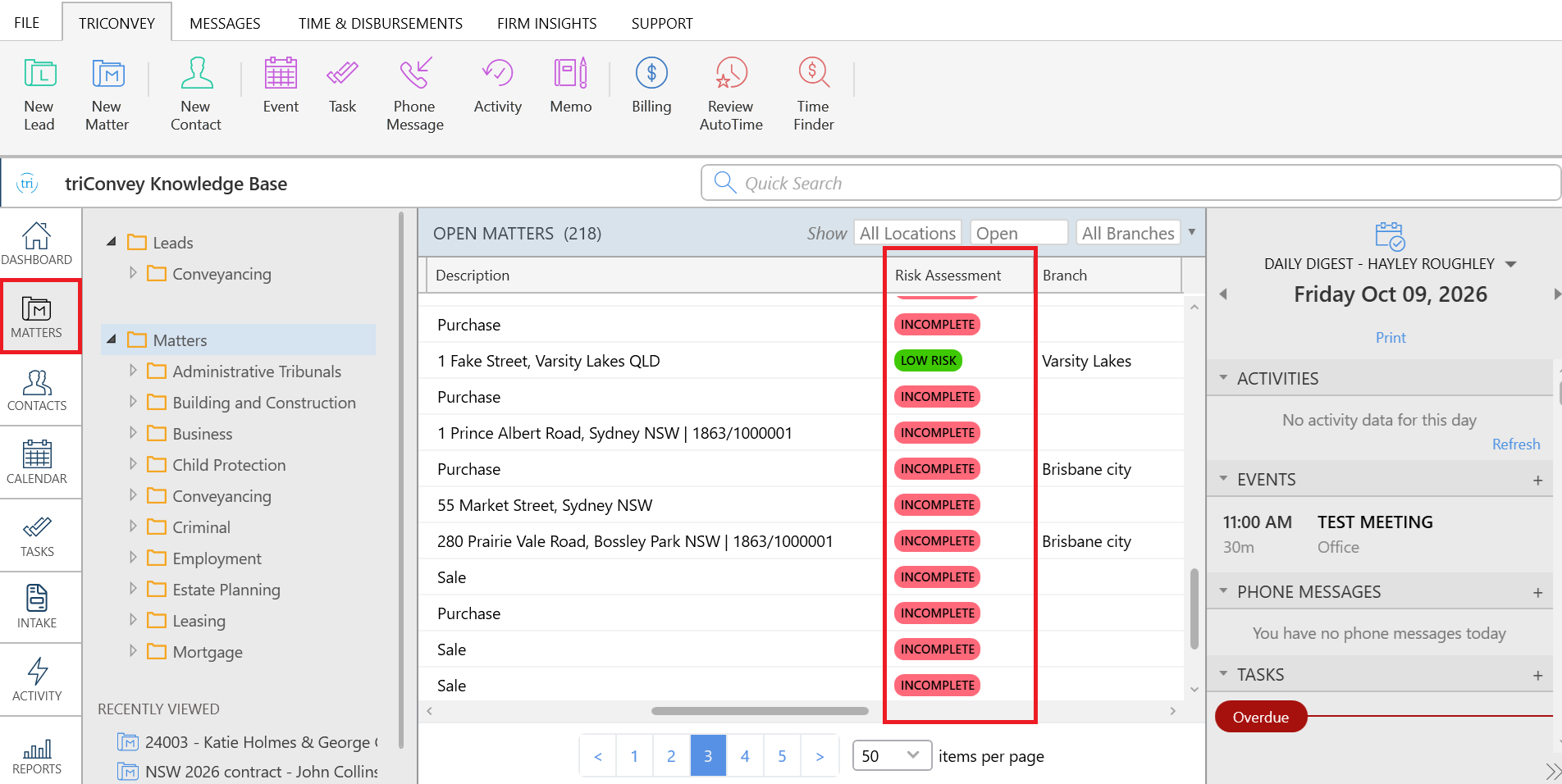
Accessing the triSearch AML/CTF Compliance Centre
Launch triSearch AML Customer Due Diligence from within the left panel view on the main triConvey window.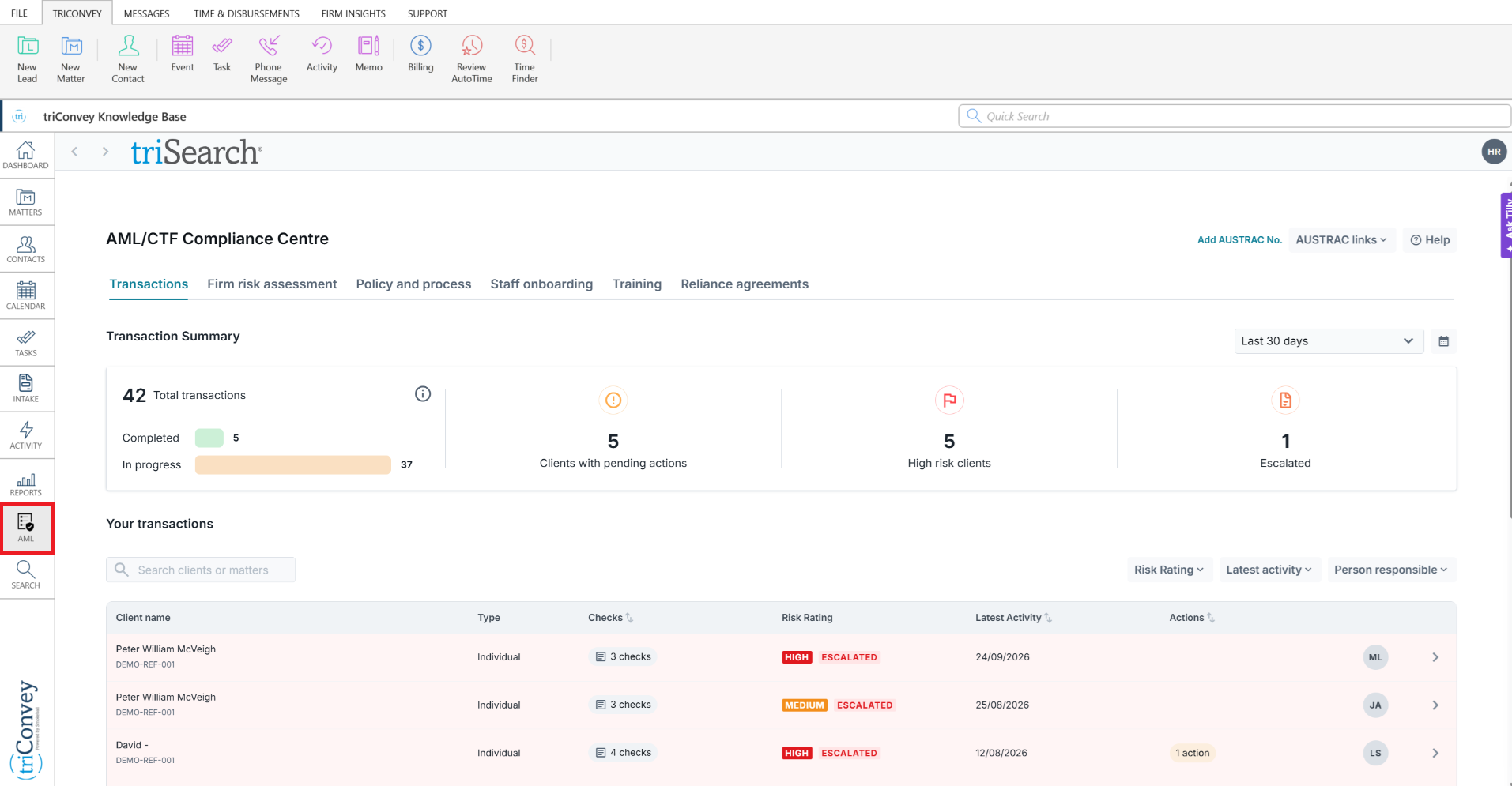
Was this article helpful?
That’s Great!
Thank you for your feedback
Sorry! We couldn't be helpful
Thank you for your feedback
Feedback sent
We appreciate your effort and will try to fix the article