

triConvey gives firms an easy way to track leads, in a similar interface to recording a matter.
Table of Contents
Getting Started
Learn how to create your first lead.
Differences between Leads and Matters
Leads and Matters function similarly to one another, with a few differences to note:
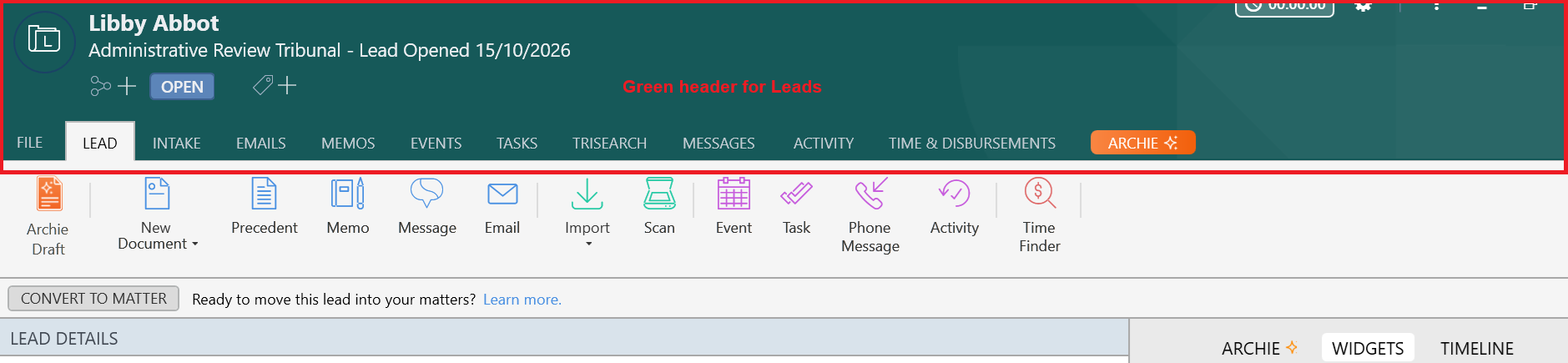
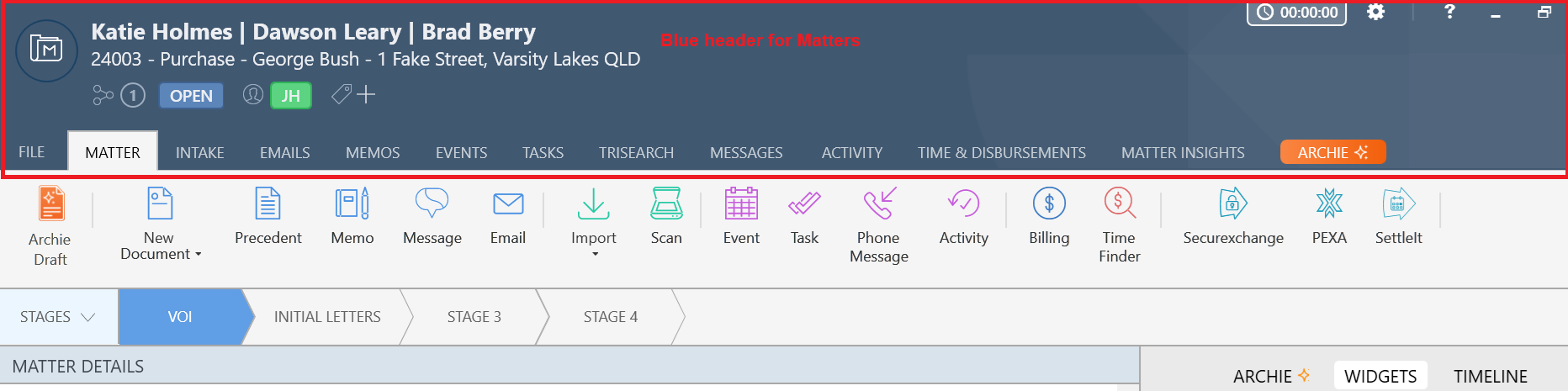
- The header bar colour and icon in Leads are different from Matters. Leads are denoted with a Green header, while Matters have a Blue header.
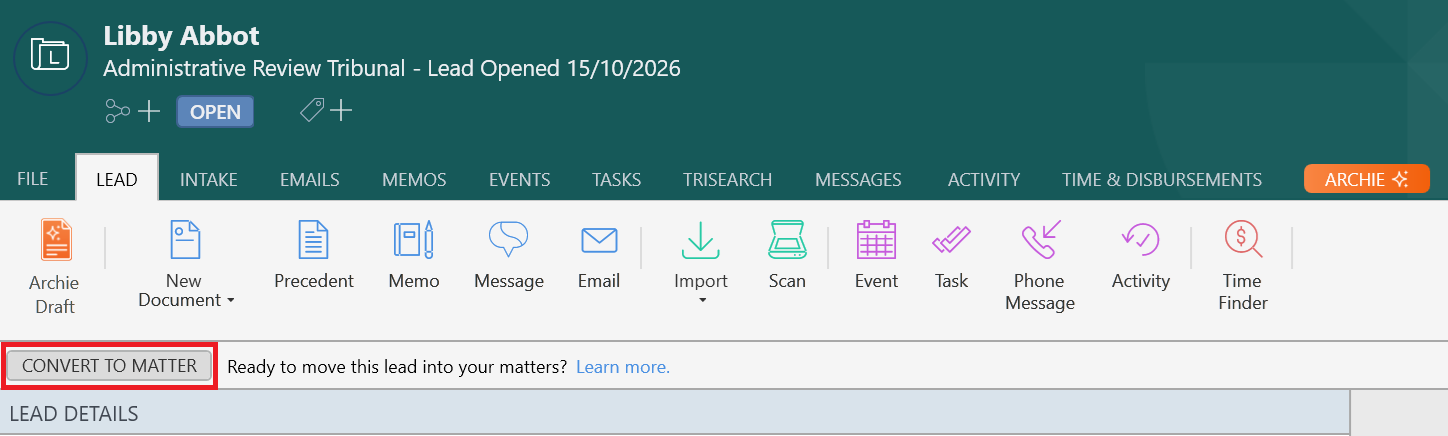
- Leads have a Convert to Matter button, which will disappear after the Lead has been converted to a Matter.
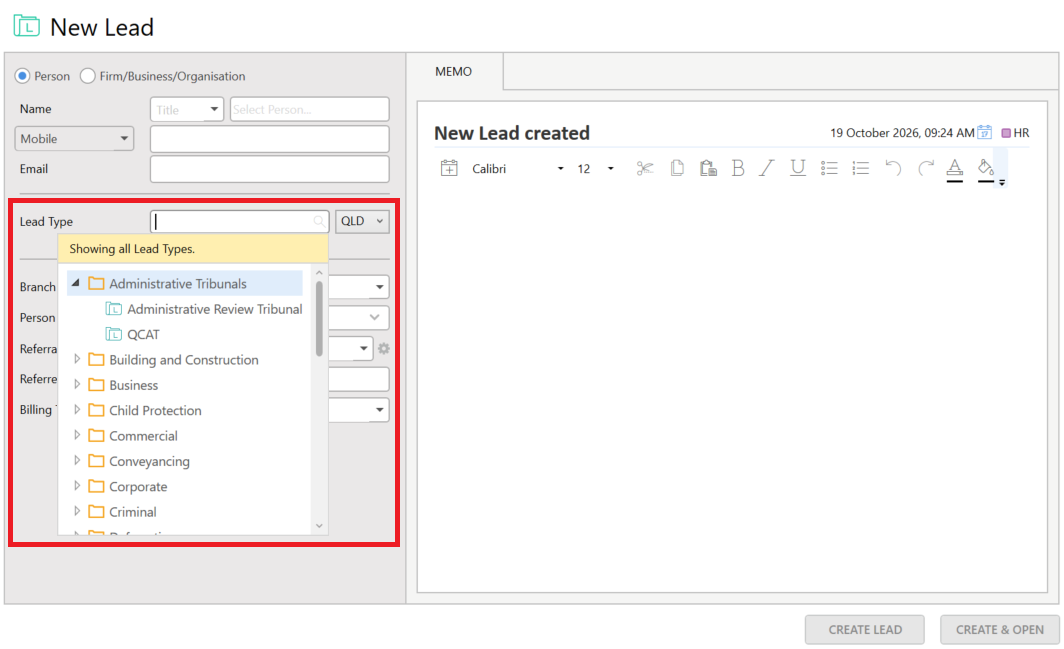
- You create leads by selecting a specific Lead Type, not a Matter Type.
- Leads do not have a Matter Number or Internal Reference Number. Because of this, you cannot record time and fees, disbursements, invoices, or trust transactions for lead. To use these features, convert the lead to a matter first.
Was this article helpful?
That’s Great!
Thank you for your feedback
Sorry! We couldn't be helpful
Thank you for your feedback
Feedback sent
We appreciate your effort and will try to fix the article