The Seller Disclosure workflow now extracts data from over 15 different certificates to prepopulate the Seller Disclosure form fields with the responses. This means that when you order certificates as part of the Seller Disclosure workflow, we will automatically read the results, extract the response and prefill the corresponding field(s) in the form.
How does it work?
When you commence a Seller Disclosure workflow, you will see a notation next to each certificate that has Data Prefill available.
When certificates start to complete, you will see a banner at the top of the edit screen indicating the status of each certificate and the number of fields that have been extracted and prefilled. Arrows on the far right of the banner can be used to navigate through each of the fields. All prefilled fields are displayed using purple, and on hover, they will list which certificate was used to obtain the information.
All the fields remain 100% editable and you can amend any field in the form the same as always.
We have also added logic to show a toast notification if you are on a different step when a certificate completes and provides new data. It will prompt you to navigate back to review the new data. The form fields will only be updated when the changes are reviewed and saved.
0 Votes
0 Comments
People who like this
Delete Comment
This post will be deleted permanently. Are you sure?


The Seller Disclosure workflow now extracts data from over 15 different certificates to prepopulate the Seller Disclosure form fields with the responses. This means that when you order certificates as part of the Seller Disclosure workflow, we will automatically read the results, extract the response and prefill the corresponding field(s) in the form.
How does it work?
When you commence a Seller Disclosure workflow, you will see a notation next to each certificate that has Data Prefill available.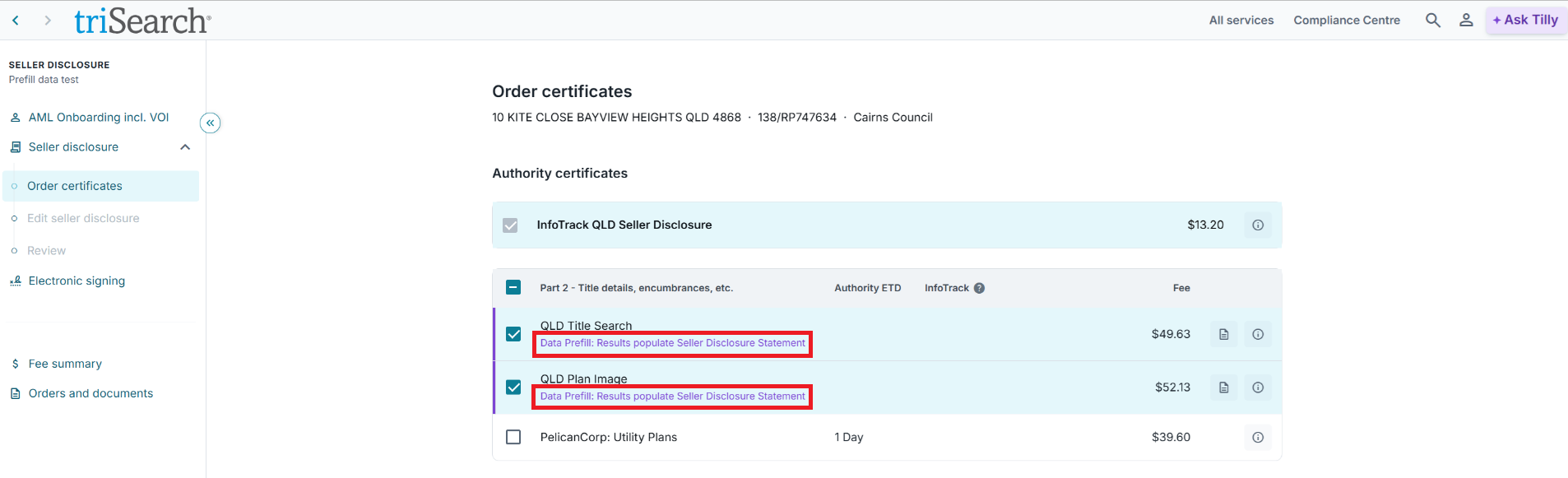
When certificates start to complete, you will see a banner at the top of the edit screen indicating the status of each certificate and the number of fields that have been extracted and prefilled. Arrows on the far right of the banner can be used to navigate through each of the fields. All prefilled fields are displayed using purple, and on hover, they will list which certificate was used to obtain the information.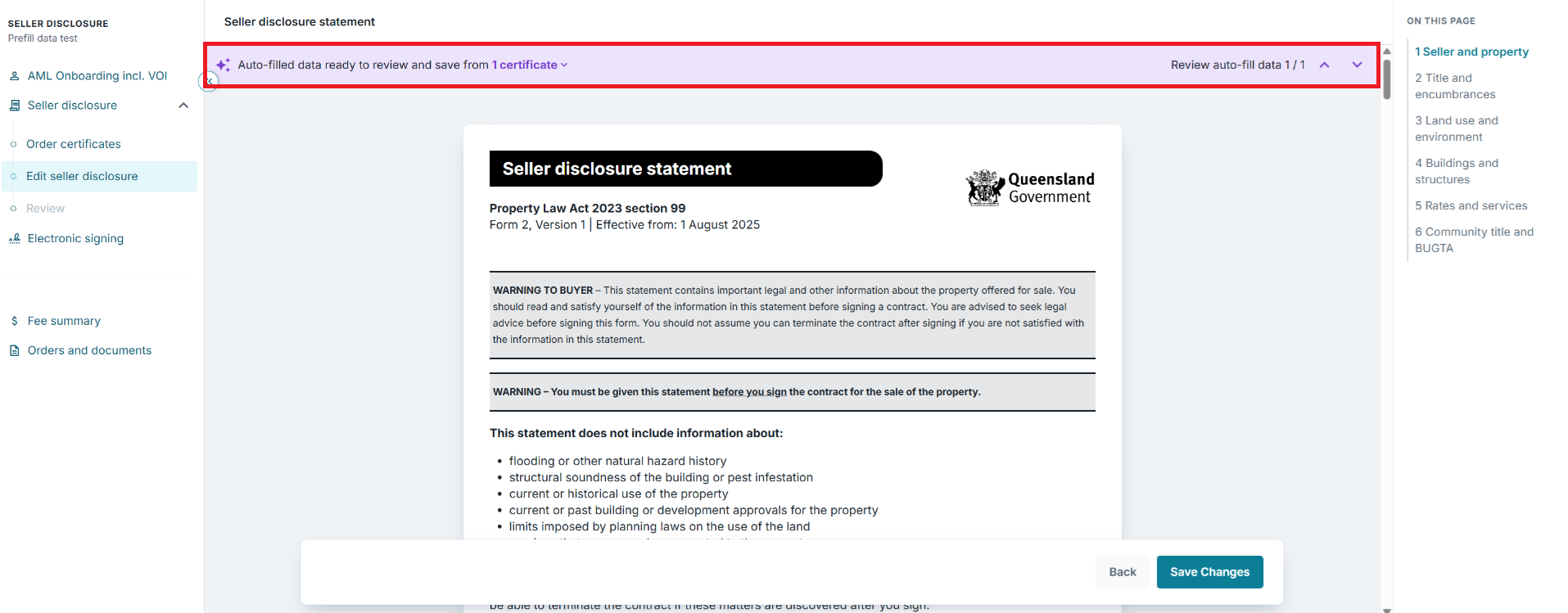
All the fields remain 100% editable and you can amend any field in the form the same as always.
We have also added logic to show a toast notification if you are on a different step when a certificate completes and provides new data. It will prompt you to navigate back to review the new data. The form fields will only be updated when the changes are reviewed and saved.
0 Votes
0 Comments