

Table of Contents
Create a VIC Survivorship Application matter
1. Select New Matter from the triConvey Home Dashboard.
2. Select State: VIC.
3. Select Matter Category: Conveyancing.
4. Select Matter Type: Survivorship Application.
5. Select Next.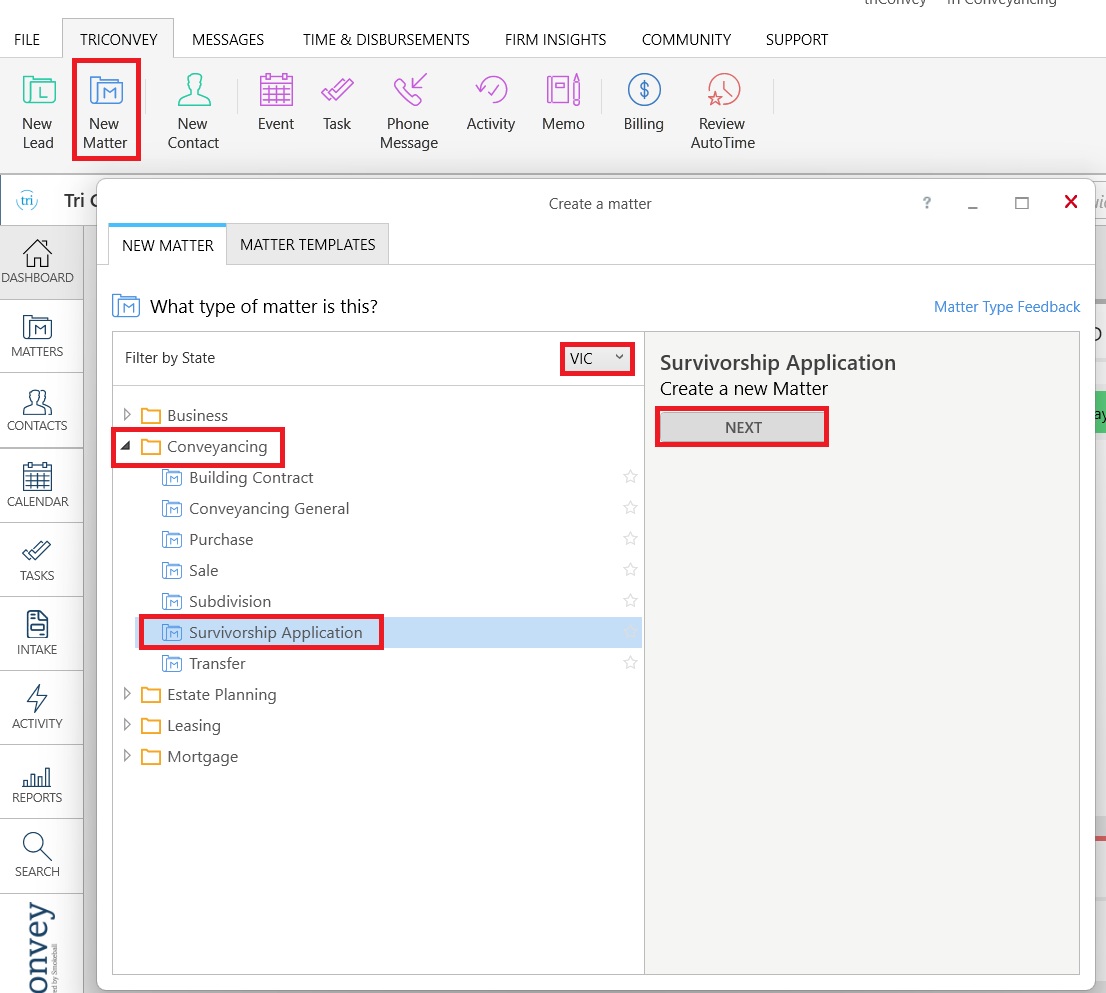
Complete Matter Details
1. Double-click Info and complete required details.
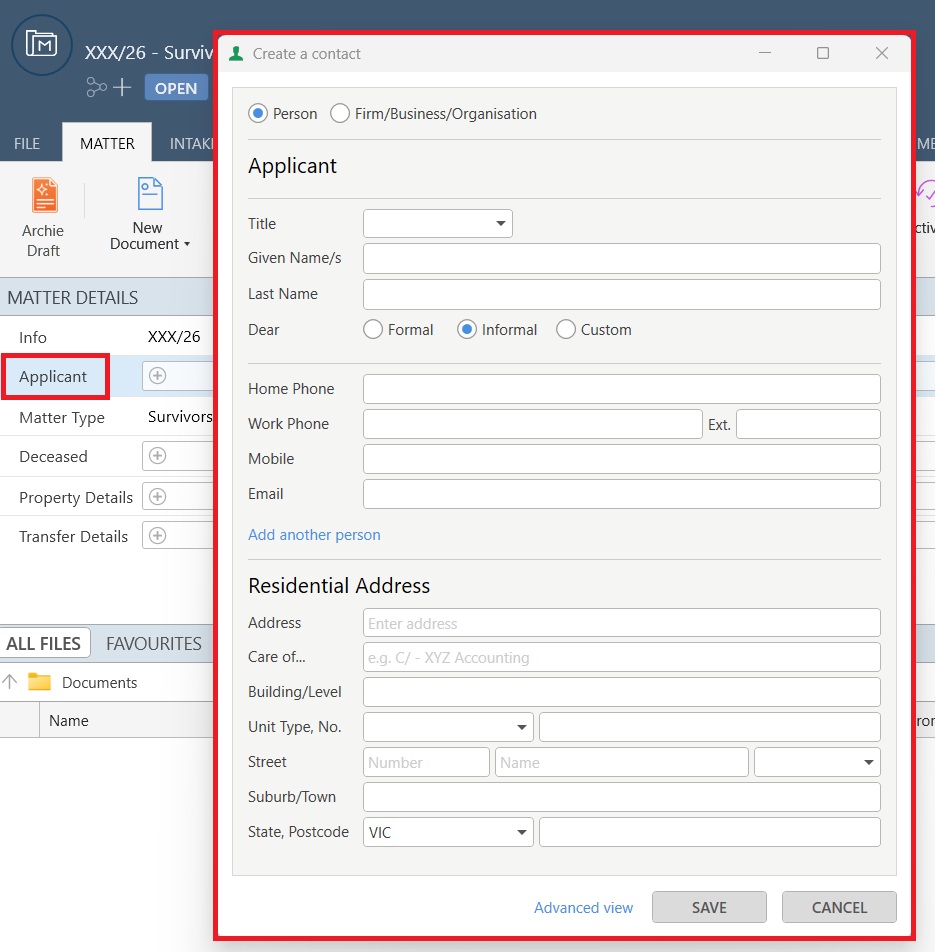
Tip: Not all details need to be entered immediately. However, it is best practice to enter as much information as possible to save yourself time when generating documents.2. Double-click Applicant and complete required contact details.
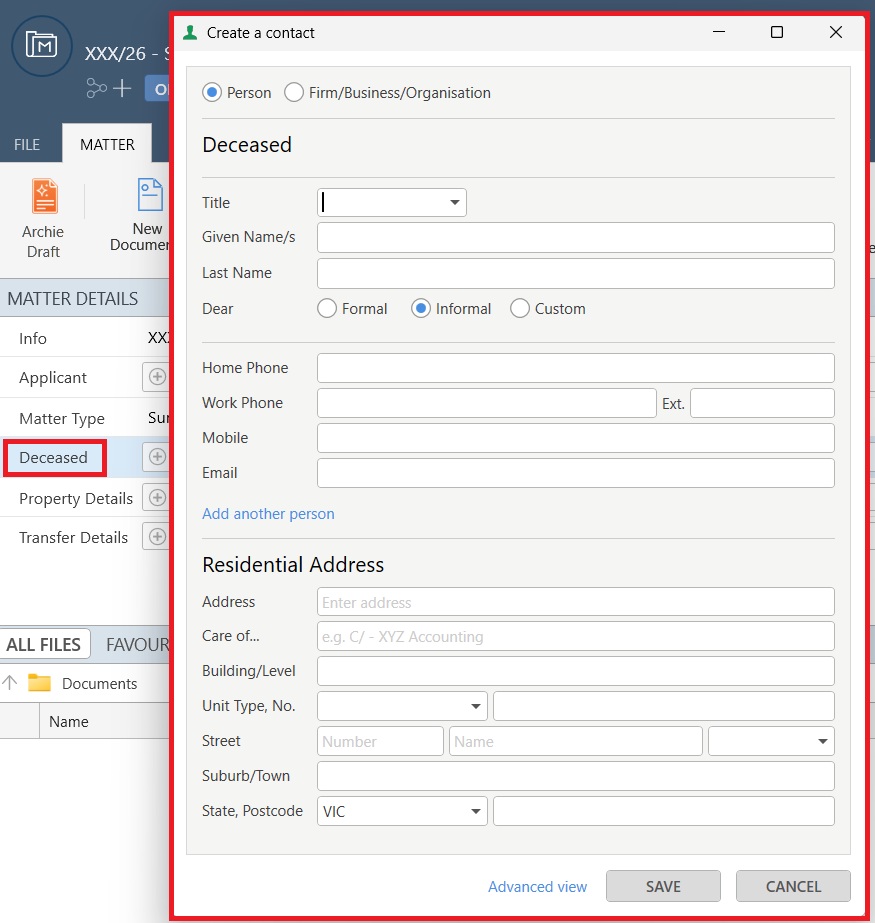
3. Double-click Deceased and complete required contact details.
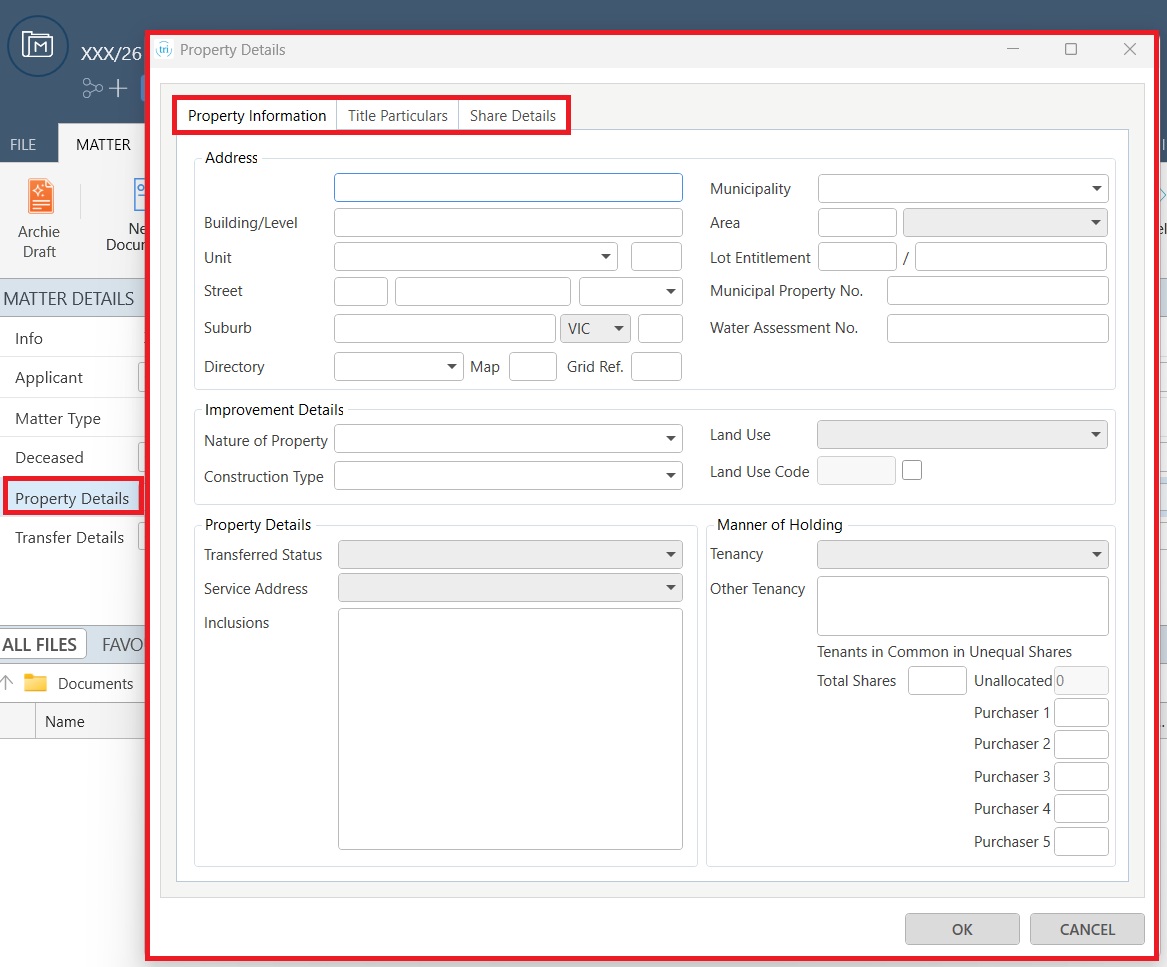
4. Double-click Property Details and complete Property Information, Title Particulars and Share Details.
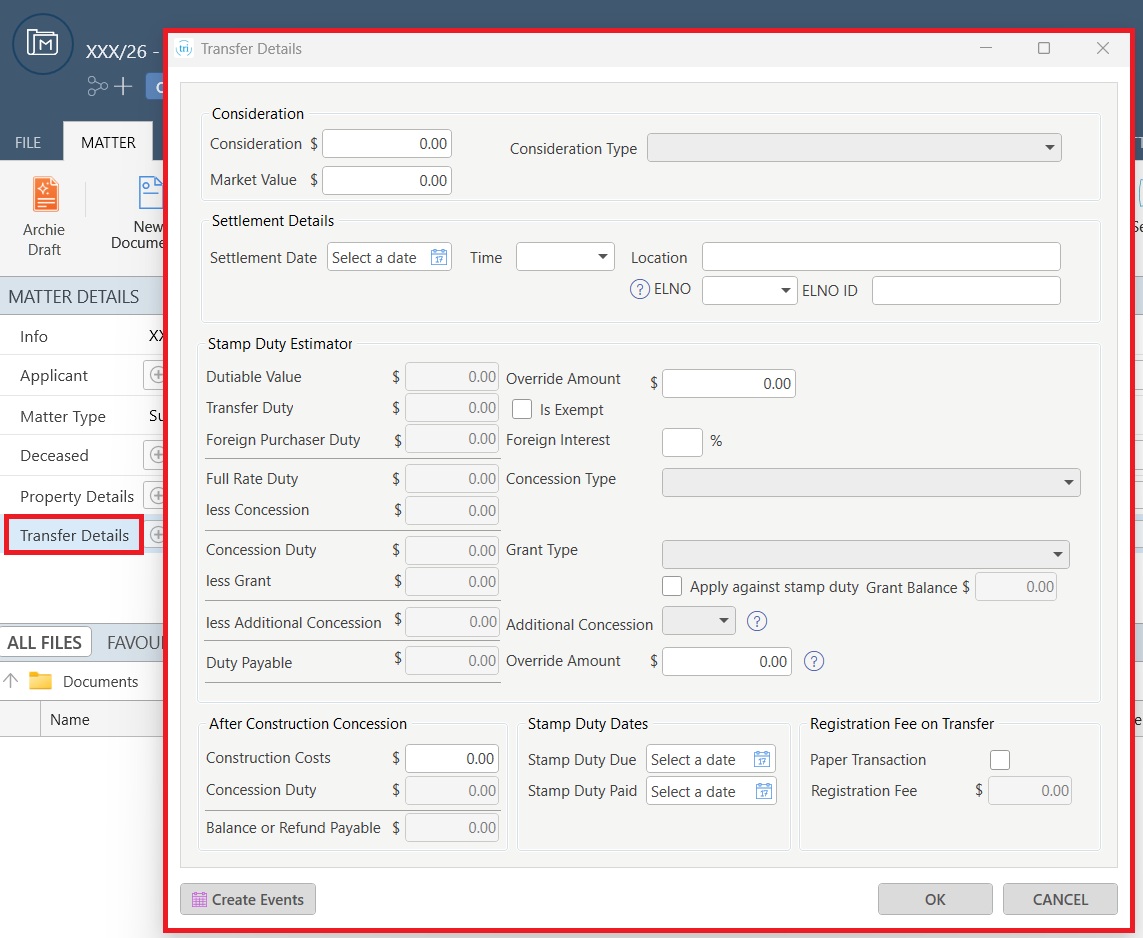
5. Double-click Transfer Details and complete all the required details.
6. To add uncommon contacts to your matter, select the gear icon.
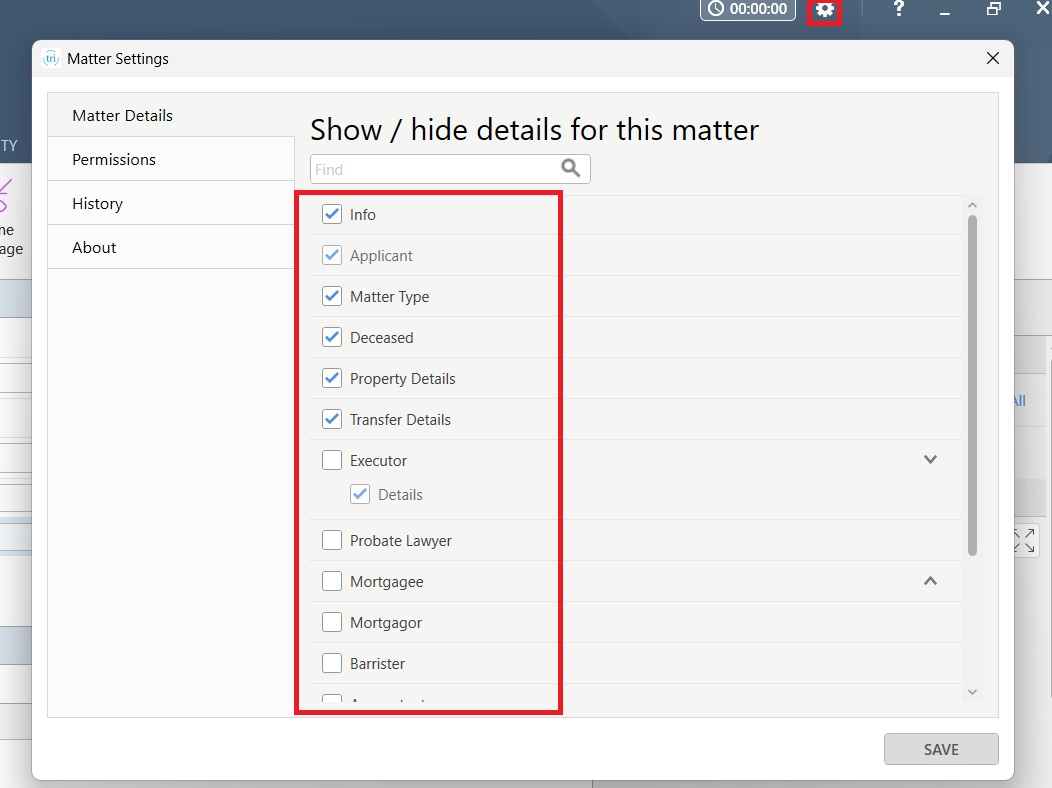
7. From Show/hide details for this matter, select the additional contact/s to be displayed in Matter Details.
8. Select Save.
Was this article helpful?
That’s Great!
Thank you for your feedback
Sorry! We couldn't be helpful
Thank you for your feedback
Feedback sent
We appreciate your effort and will try to fix the article