

If your document displays If/Then/Else tags or field codes instead of actual data, ensure the following settings in Word are unticked:
- Display > Printing Options > Update fields before printing
- Advanced > Print > Print field codes instead of their values
To access these Word Settings:
1. Open Microsoft Word.
2. Select Options from the bottom-left corner of the window.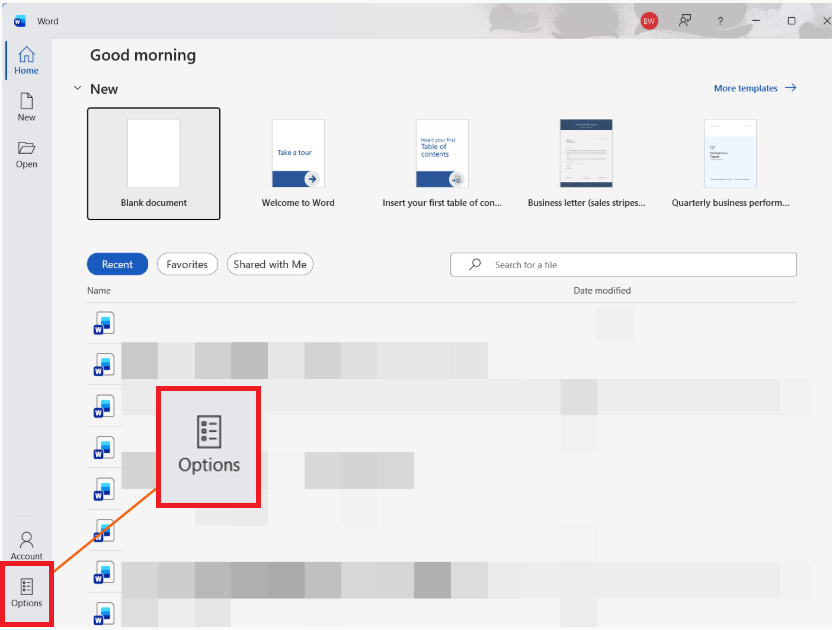
3. The Word Options window will open.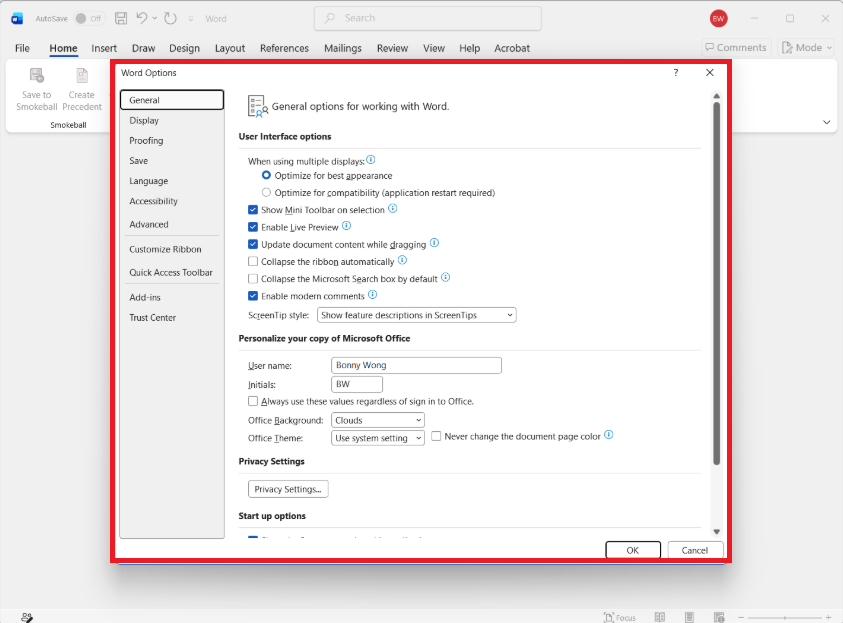
4. Navigate to Display on the left menu, then untick Update fields before printing under Printing options.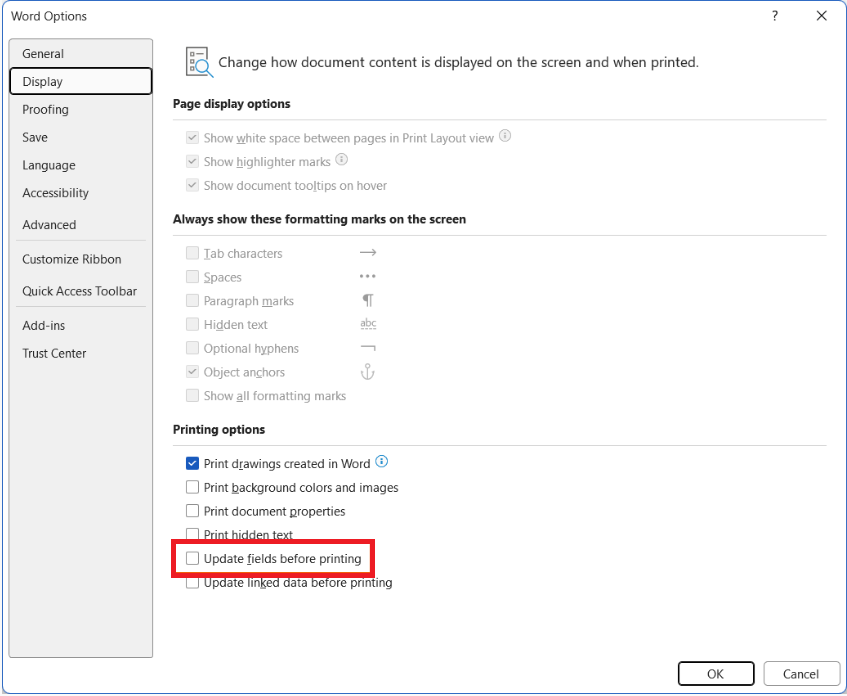
5. Navigate to Advanced on the left menu, then untick Print field codes instead of their values under Print.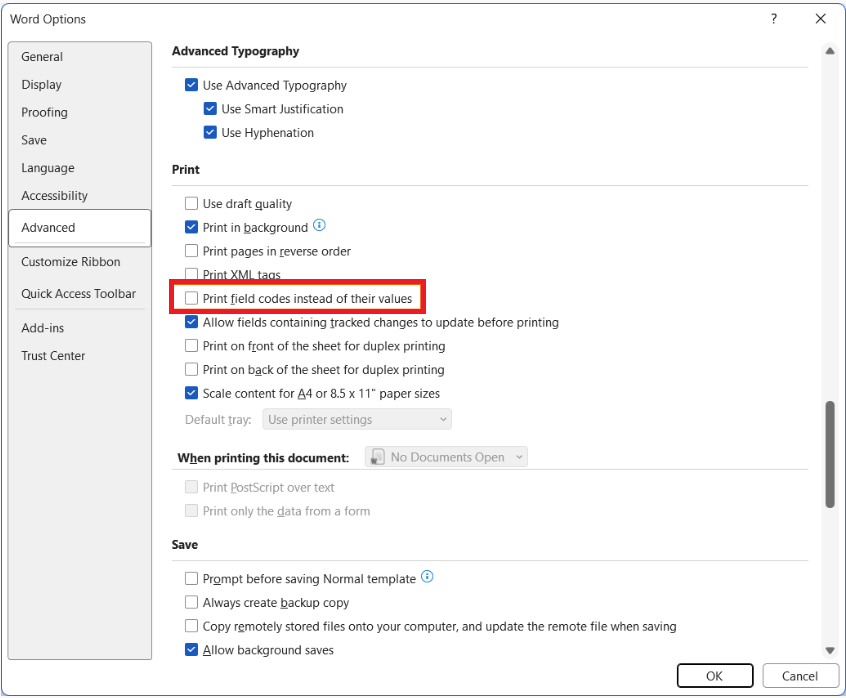
6. Select OK.
Was this article helpful?
That’s Great!
Thank you for your feedback
Sorry! We couldn't be helpful
Thank you for your feedback
Feedback sent
We appreciate your effort and will try to fix the article