

Learn how to configure your Intake Form settings to redirect users to a custom webpage after they submit an Intake Form.
This is useful if you would like form respondents to land on your firm's website, a booking page, or a tailored landing page after they have completed your form.
Table of Contents
Setting a default redirect for all Intake Forms
Follow the steps below to set up a specific webpage that all your Intake Forms will lead to by default.
1. Select the Settings gear icon from either:
- the top-right corner of the triConvey Desktop App, then select Intake Forms from the left menu; or

- the bottom-left corner of the triConvey Companion Site Web App, then select Firm Settings.
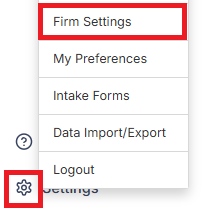
2. Select the Message Templates tab and navigate to Confirmation Message.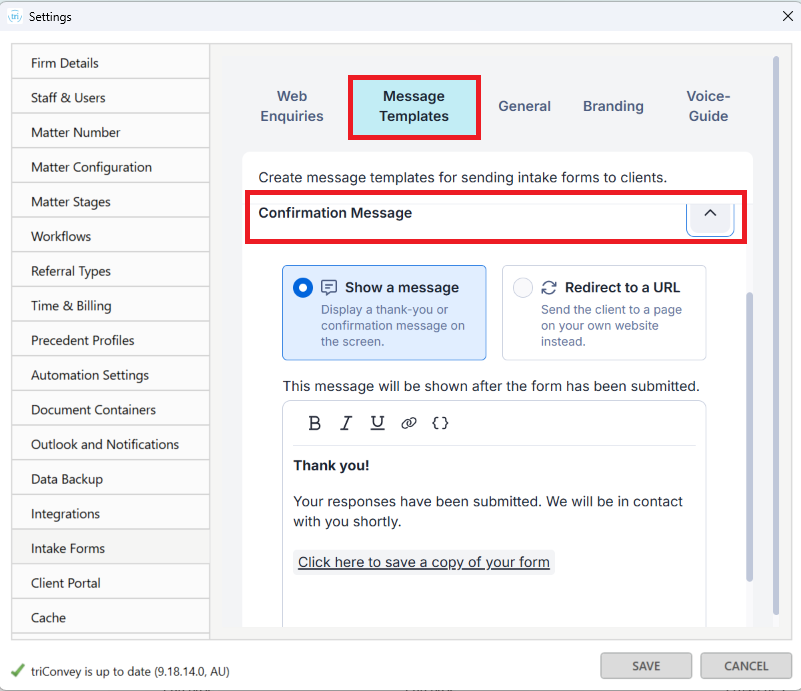
3. Click on Redirect to a URL, then enter/paste the URL you would like form respondents to land on after completing any of your firm's Intake Forms.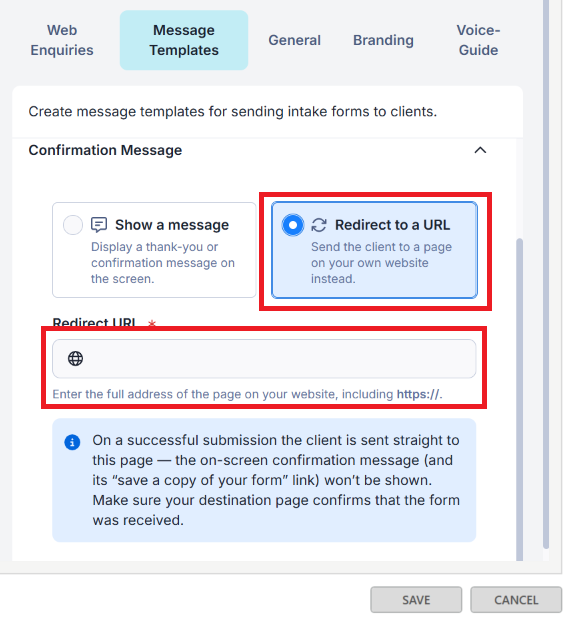
Overriding the default redirect for a specific form
You can set a redirect on an individual form, which overrides the default URL for firm-wide Intake Forms.
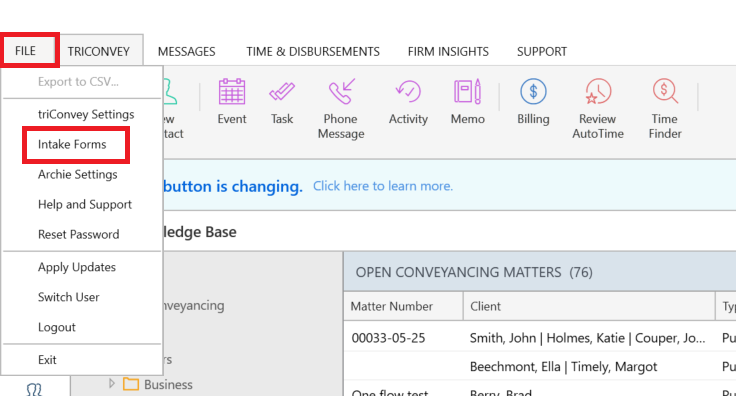
1. Open your list of Intake Forms.
- on the triConvey Desktop App, select File from the top-left corner of the Home Dashboard, then select Intake Forms.
- on the triConvey Companion Site Web App, select the gear icon and then select Intake Forms.
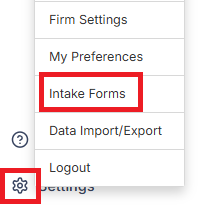
2. Click on the Intake Form you would like to edit. The form will open in the Form Builder.
3. Select the Settings gear icon on the top-right corner of the Intake Form Builder, then select Message Templates.
4. Scroll down to the Confirmation section, then select Redirect to a URL.
5. Enter or paste the URL into the Redirect URL field.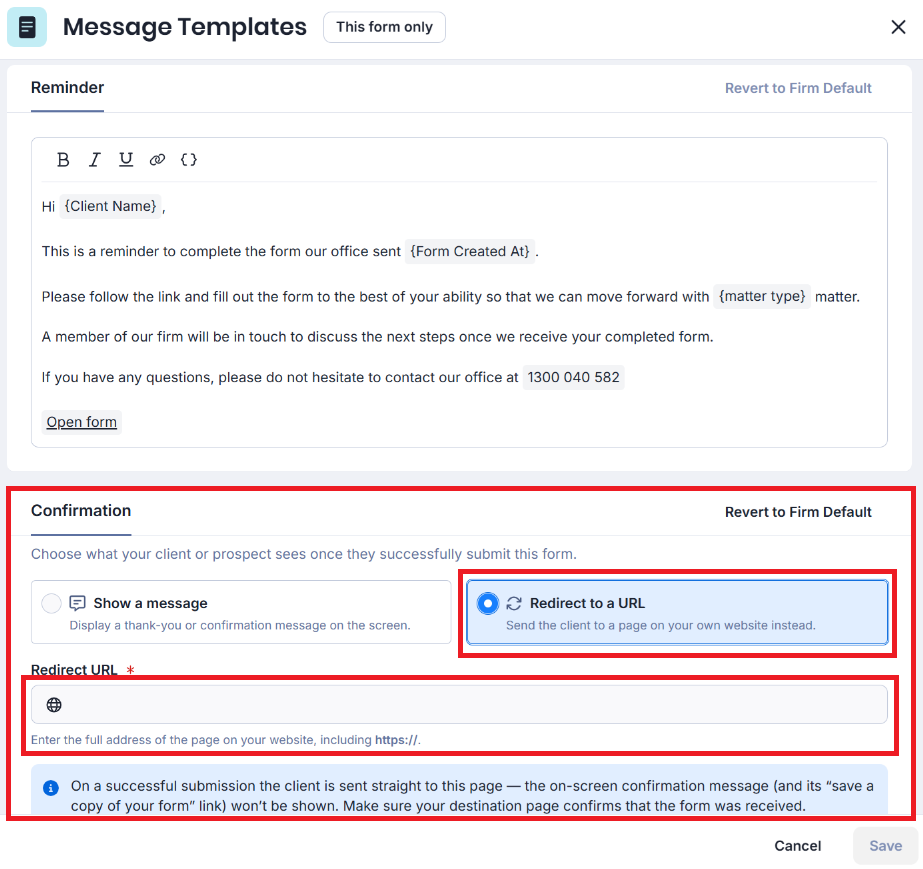
6. Select Save.
To revert the form behaviour back to your firm's default setting, select Revert to Firm Default, then click Save.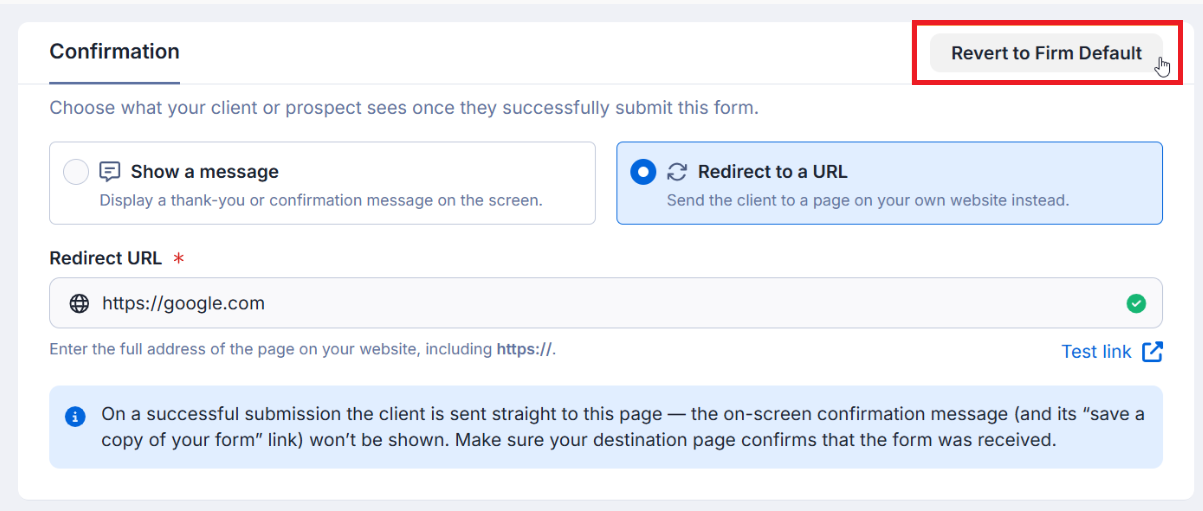
Was this article helpful?
That’s Great!
Thank you for your feedback
Sorry! We couldn't be helpful
Thank you for your feedback
Feedback sent
We appreciate your effort and will try to fix the article