

Learn how to add a Signature component to Intake Forms in triConvey, allowing you to collect signatures from form respondents.
Table of Contents
- Adding a signature to your form
- What your client sees
- Finding the signed form
- Frequently Asked Questions
Types of signatures
triConvey offers two types of signatures that you can add to an Intake Form:
- Standard Signature (Free, no cost to add and sign) - this is a basic signature box where respondents can either Draw or Type to sign the form. A timestamp is recorded upon form submission.
- Verifiable Signature (Billed per signature to your firm) - integrating with triSign powered by DocuSign, this is a court-admissible and cryptographically verifiable way to collect signatures from respondents. You can also track timestamps, IP address and device of the respondent upon form submission. Verifiable Signatures are also legally binding under the Electronic Transactions Act.
Note: Web enquiry forms only support Standard signatures. If your form uses a Verified signature, it changes to Standard when you create a web enquiry link.
Inserting a signature component
1. Open the intake form in the Form builder.
2. Drag the Signature component to the form.
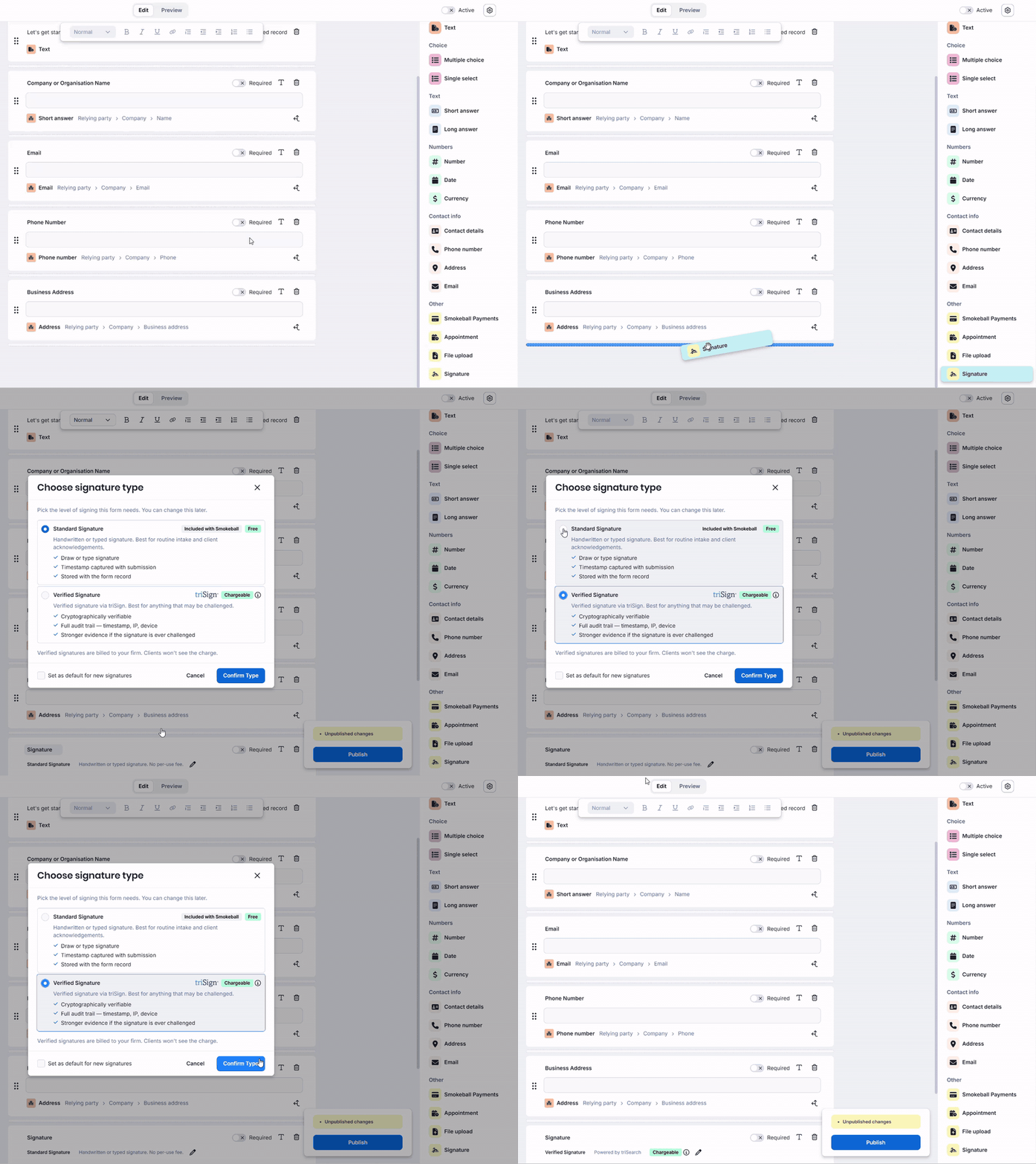
3. Choose the signature type: Standard or Verified.
Note: You need a triSearch account to use Verified signatures. If your firm doesn't have one, only Standard signatures are available.
4. Tick Set as default for new signatures if needed. Signature components you add to forms in the future will display your choice as the default.
5. Select Confirm Type.
6. Finish editing the rest of the form, if needed. Then, Publish the form.
How respondents sign the form
Standard Signatures
With Standard Signatures, respondents sign in the signature box by selecting Draw or Type, then submit the form.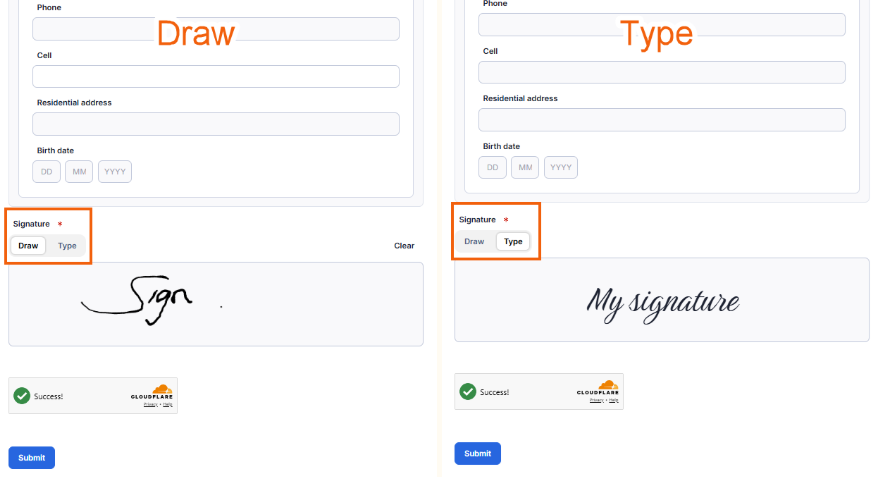
Verified Signatures
With Verified Signatures, respondents see a triSign branded section at the bottom of the form asking for a signature.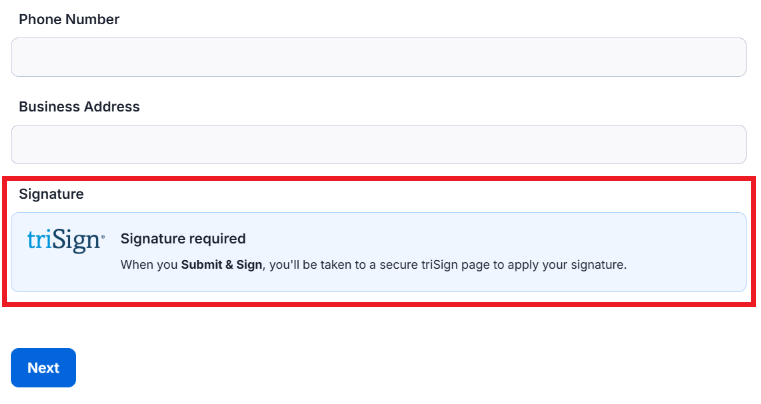
Upon clicking Submit, a message will appear on the screen, reminding them again that a signature is required. Select Continue to be taken to triSign.
Tip: We're preparing your document for signature. This can take up to a minute, please don't close or refresh this page.
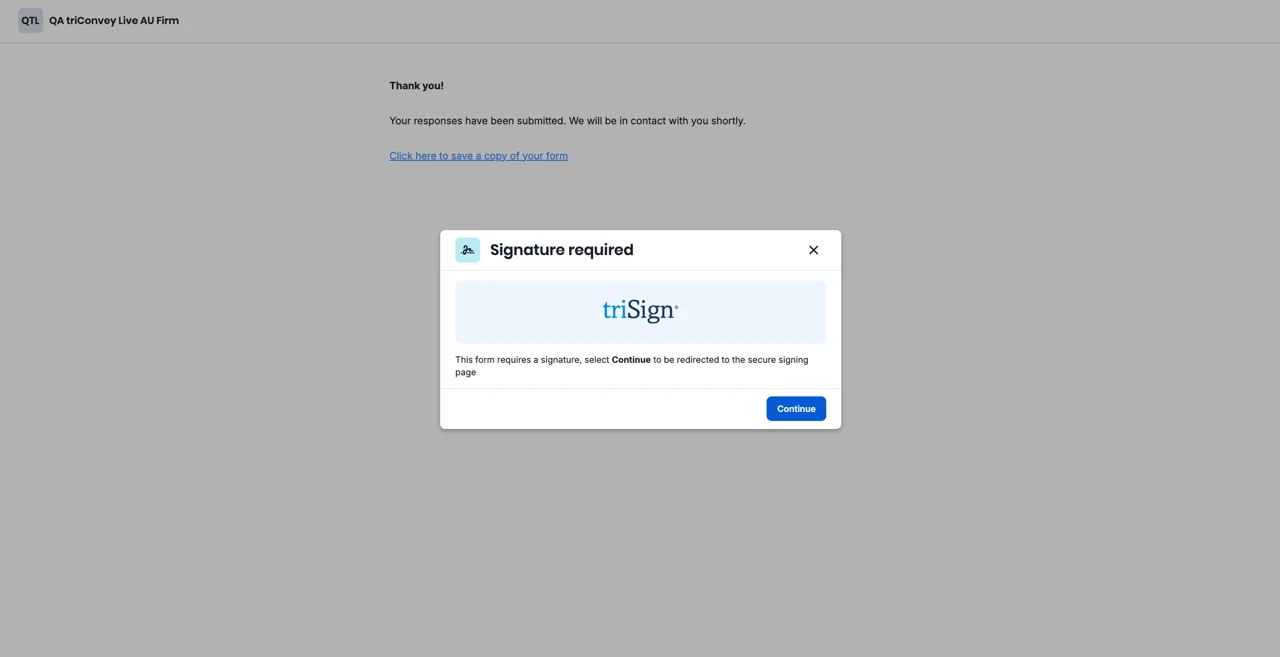
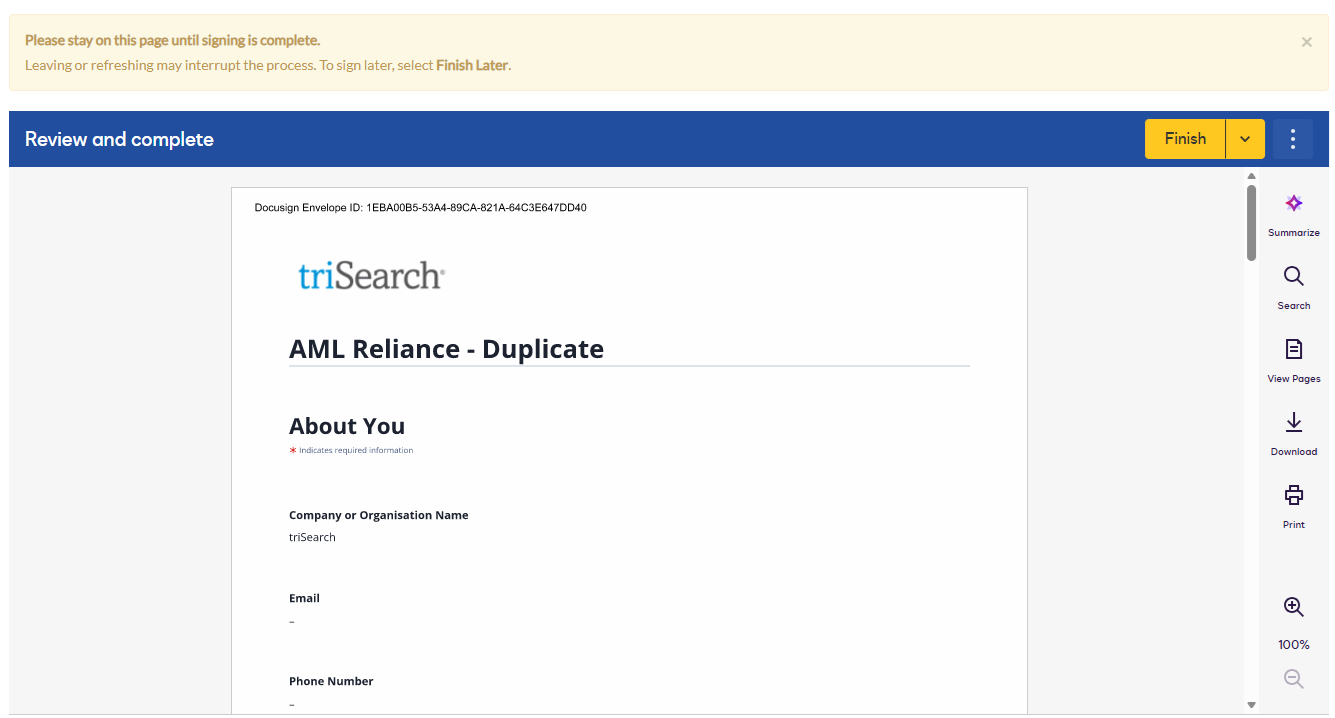
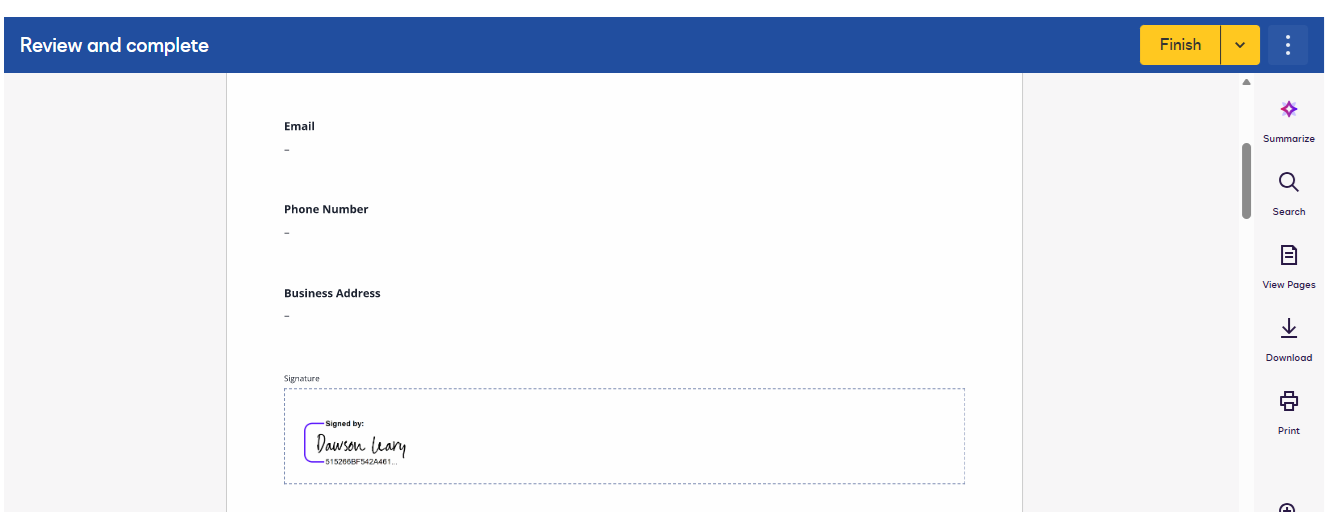
The respondent then follows the prompts in triSign to sign the form, before being returned to your form's confirmation page. triSearch will also email them a signed copy of the form.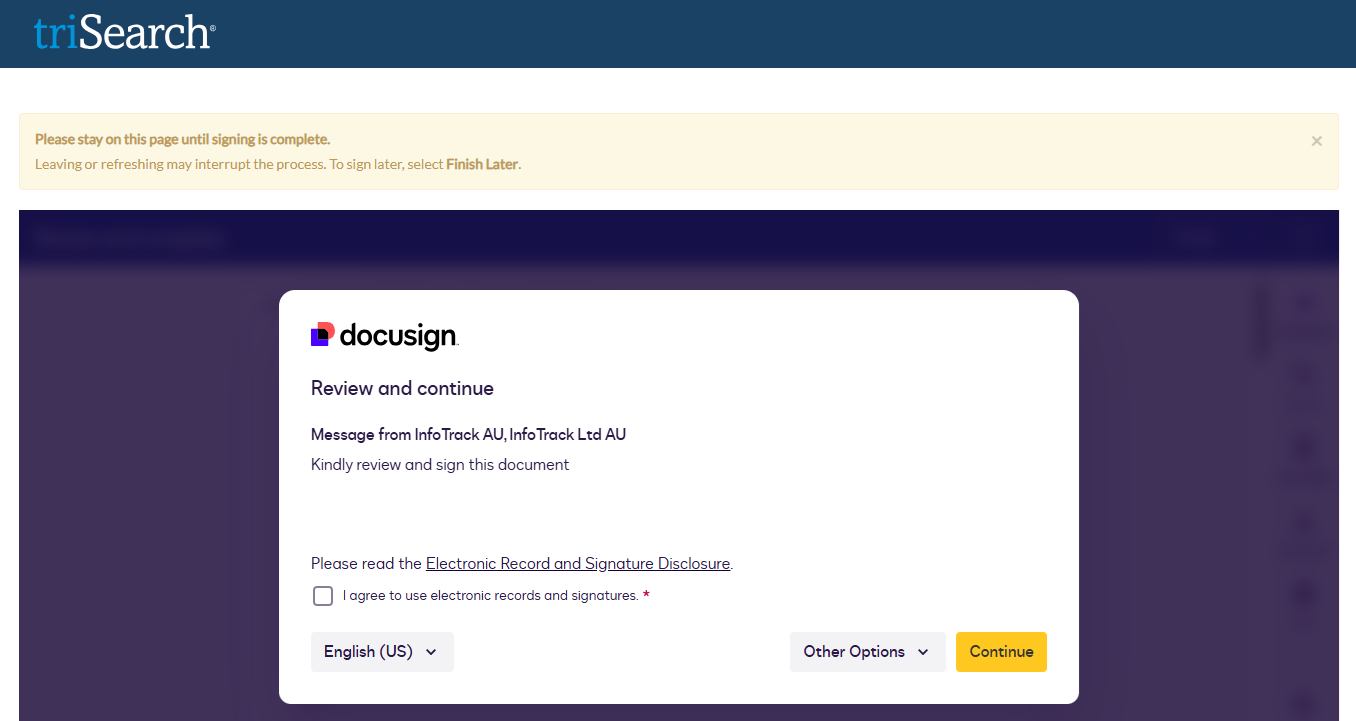
Finding the signed form
The signed PDF is saved to the matter. The form's history shows when it was sent for signature and when the signed form was received.
Tip: Since Web Enquiry forms only support Standard signatures, Verified Signatures are converted to Standard when you create a web enquiry link.
Frequently Asked Questions
Was this article helpful?
That’s Great!
Thank you for your feedback
Sorry! We couldn't be helpful
Thank you for your feedback
Feedback sent
We appreciate your effort and will try to fix the article