

Learn how to use the triSearch Contract Review Archie App to review a NSW Law Society Contract for the Sale and Purchase of Land (2022 & 2026 Edition) PDF for special conditions and key issues.
Getting Started
1. Open a matter in triConvey.
2. Select the Archie tab and then select Apps.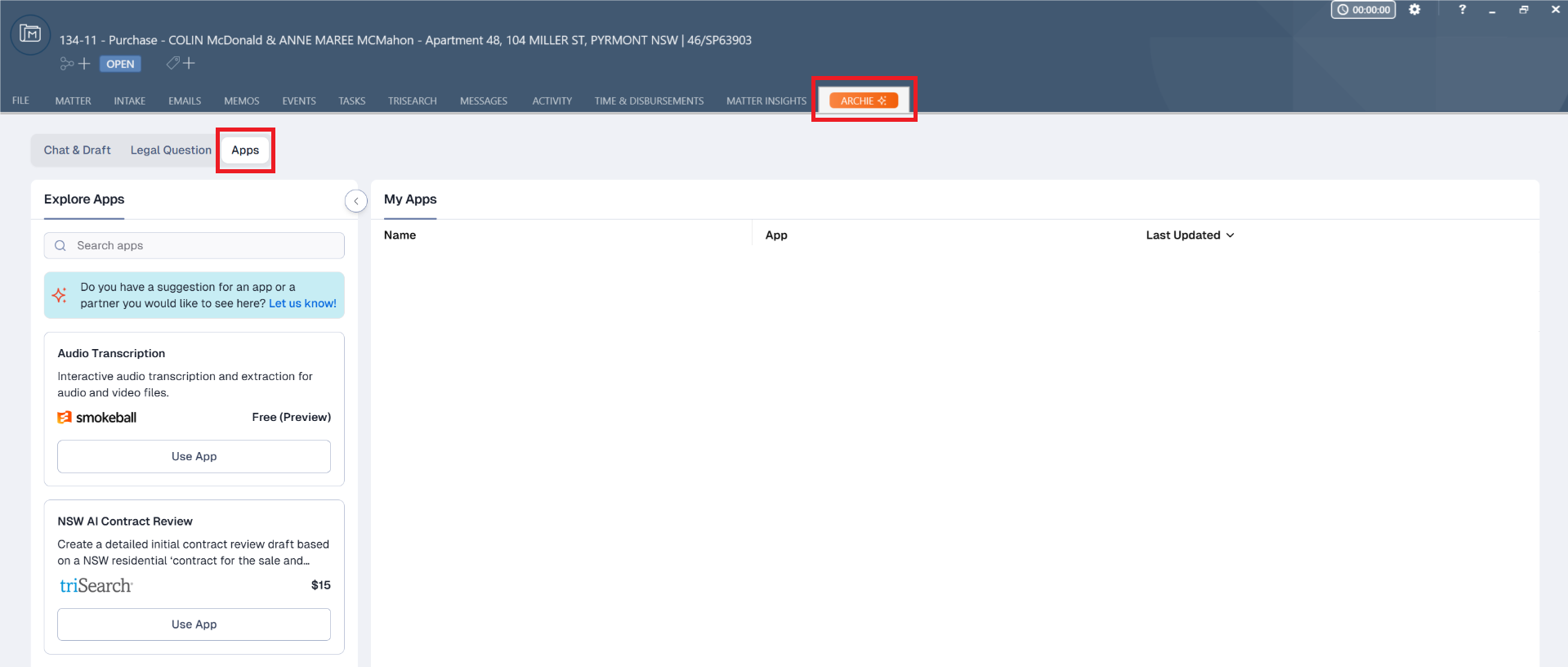
3. Find NSW AI Contract Review under the Explore Apps section on the left menu, then select Use App.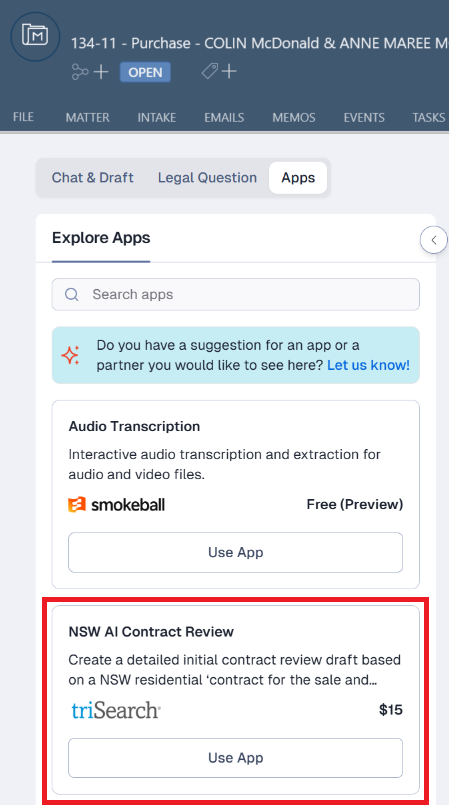
4. Click Start review on the Contract review row.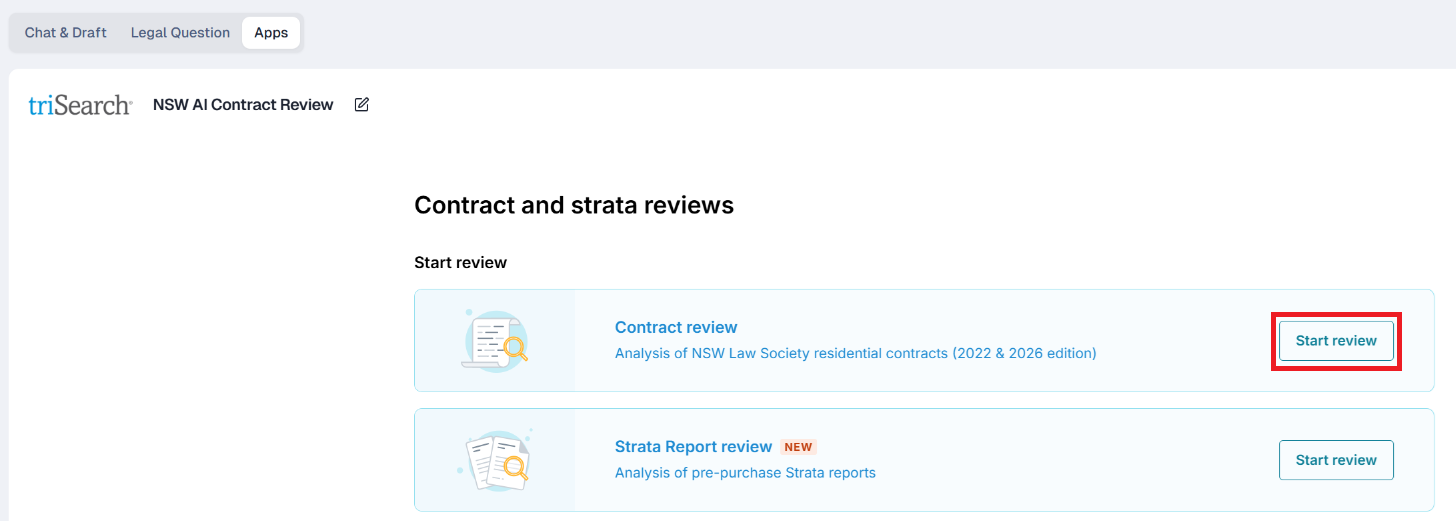
5. Upload a NSW Law Society Contract for the Sale and Purchase of Land (2022 & 2026 Edition) PDF by dragging the file from your PC into the window. Alternatively, select browse files to choose the PDF from your matter list.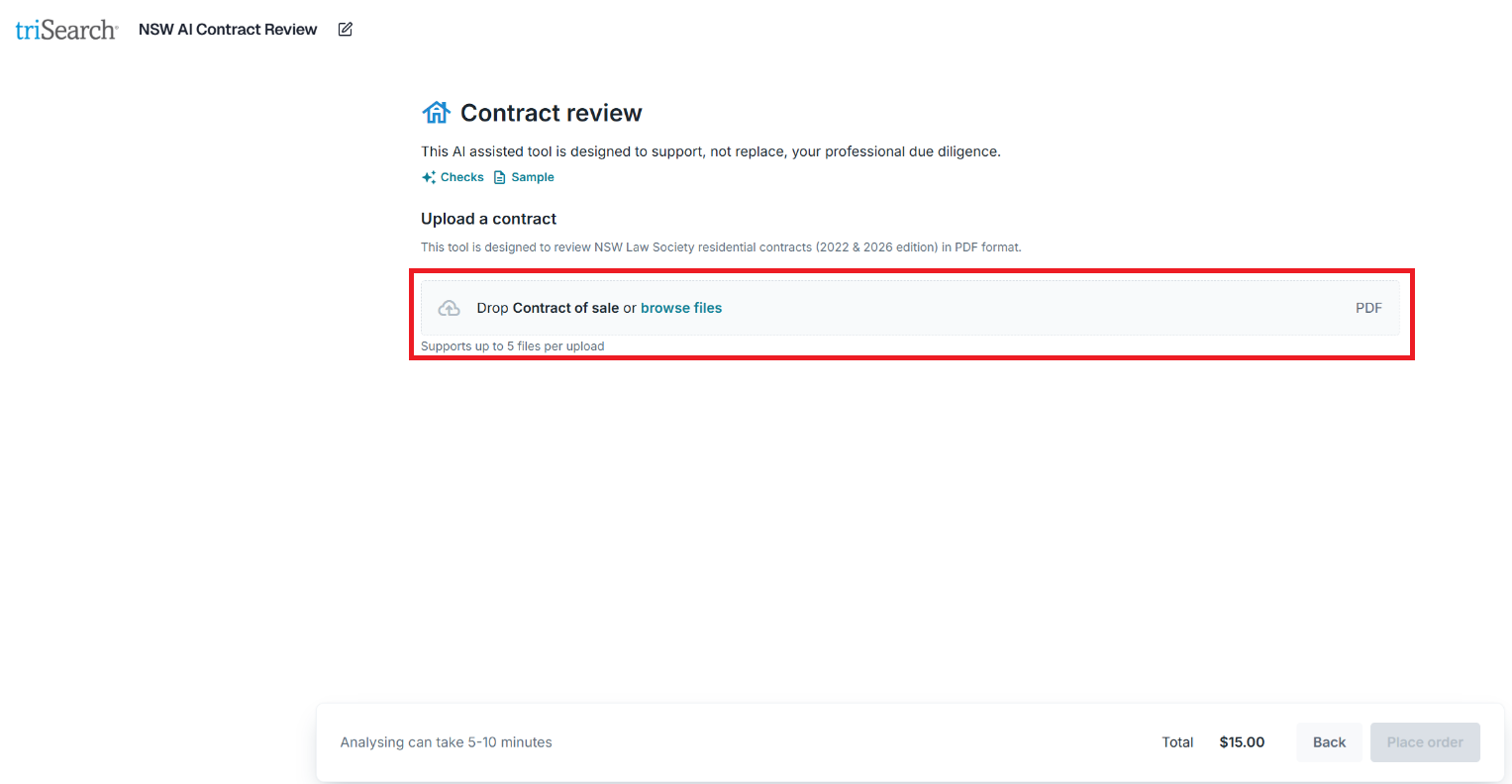
6. Click Place order.
Tip: Select Checks above the 'Upload a contract' section to view more information on the type of information that AI will look for.
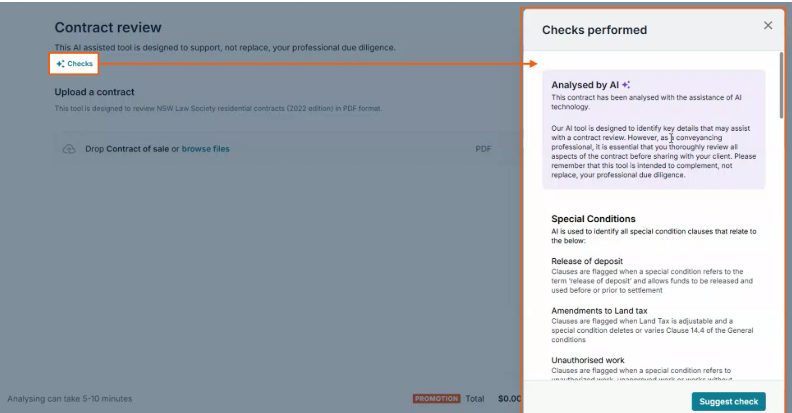
7. triSearch will now analyse and process the contract. This may take up to 5-10 minutes.
8. Once complete, the screen will display the contract and a high-level summary. The left panel displays bookmarks to sections in the contract.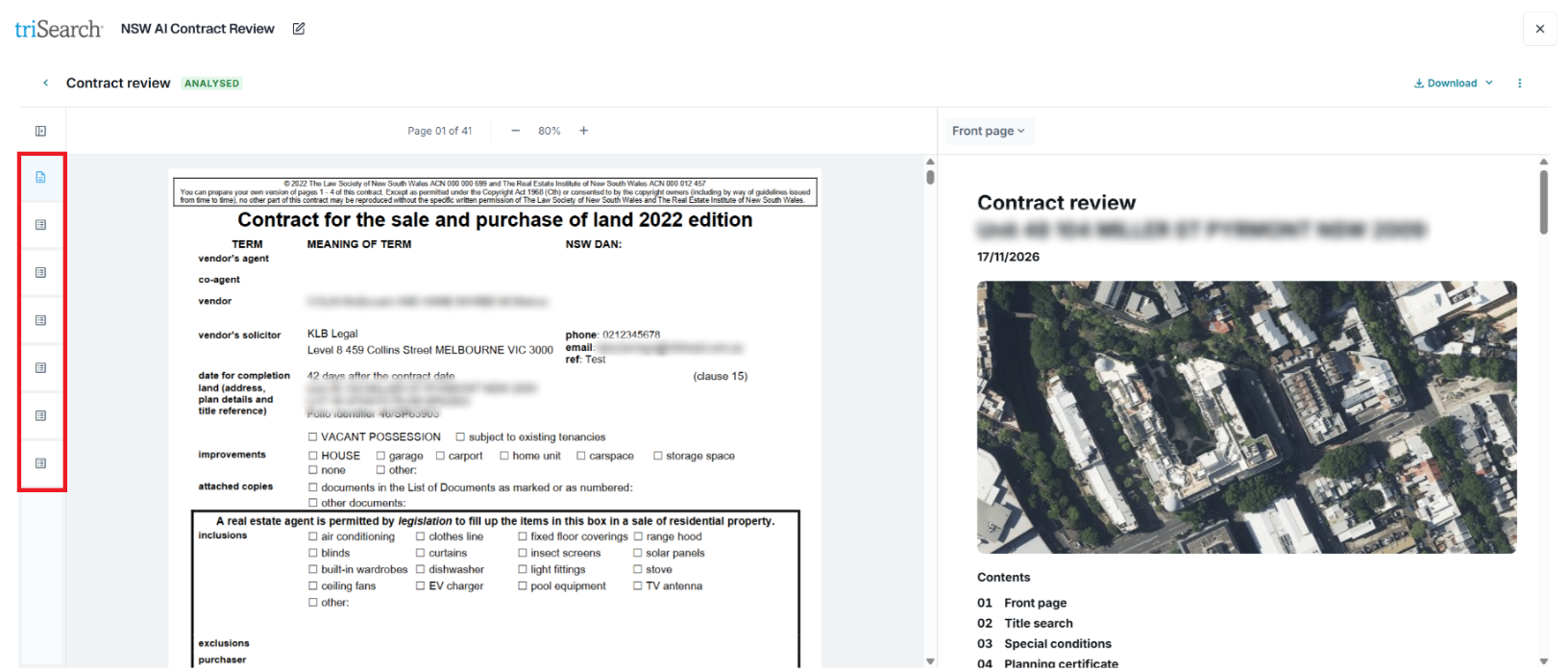
9. Select Download to access either a Standard or Compact report.
Tip: You will need to download the summary to then save it back to your triConvey matter.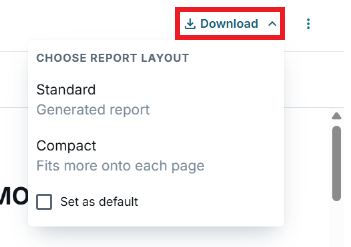
Was this article helpful?
That’s Great!
Thank you for your feedback
Sorry! We couldn't be helpful
Thank you for your feedback
Feedback sent
We appreciate your effort and will try to fix the article