

Enhance your experience with Archie by accessingspecialised applications .
Table of Contents
Getting Started
1. Open a matter in triConvey.
2. Select the Archie tab and then select Apps.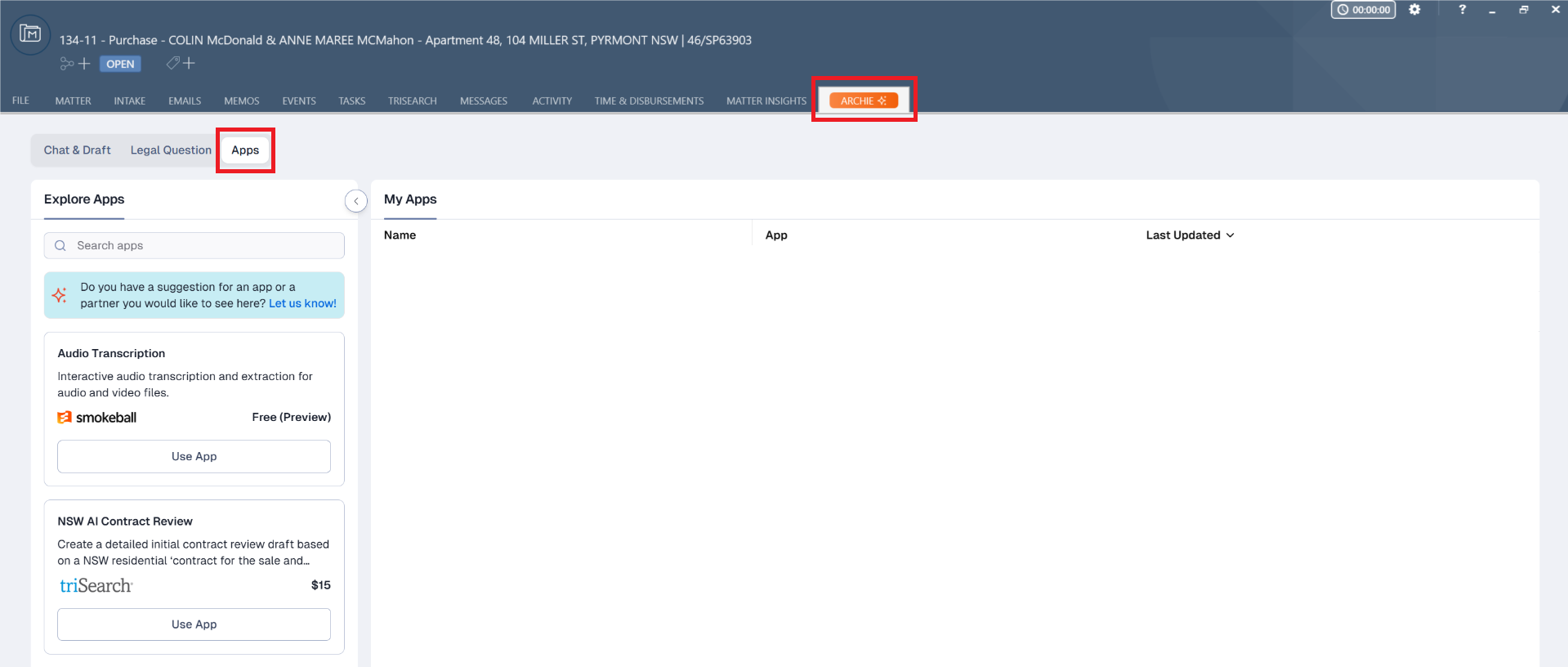
View available Archie apps on the left panel. Each entry will indicate if the app is created by Smokeball or triSearch. You can use the search feature to narrow your results.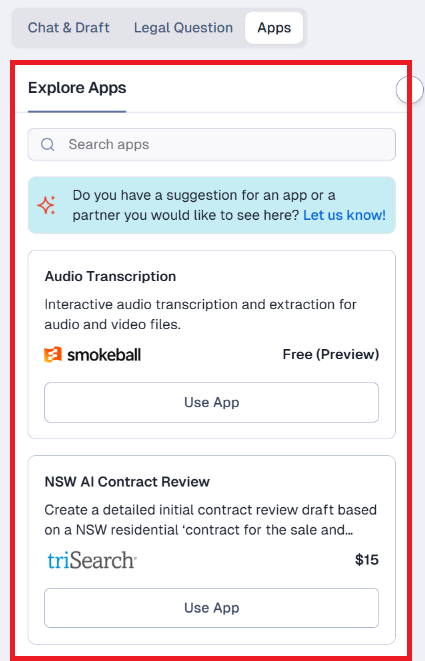
Select Use App on the app of your choice to get started.
The interface for each app may look different depending on its function, but you should typically expect to upload documents from the matter for analysis.
List of Archie Apps
Read more about the Archie Apps available for your firm below:
Was this article helpful?
That’s Great!
Thank you for your feedback
Sorry! We couldn't be helpful
Thank you for your feedback
Feedback sent
We appreciate your effort and will try to fix the article