

Should you be required to export your conversation history for auditing purposes or evidence in court, you can do so by following these steps.
1. Open the Matter and select the Messages tab.
2. Select the External tab on the top-left corner of the Messages tab and then select the conversation you wish to export.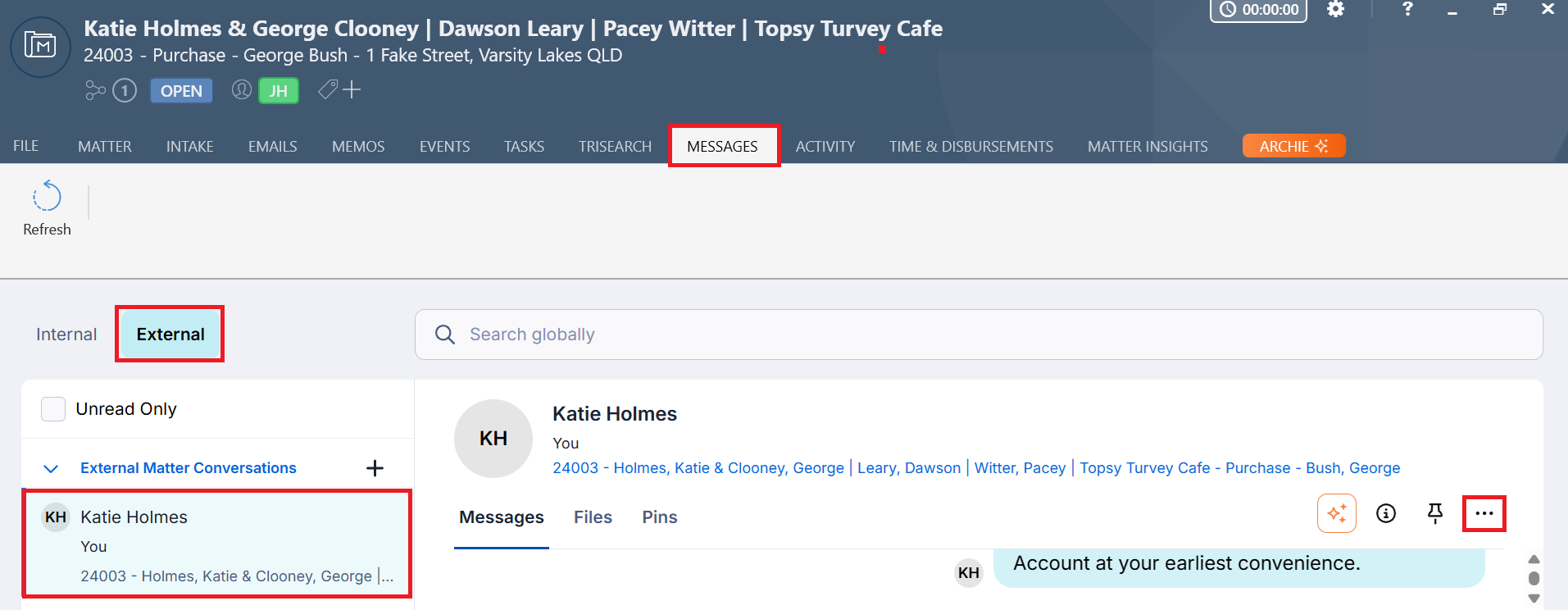
3. Select the three dots on the top-right corner of the conversation and then click Export Conversation to Matter.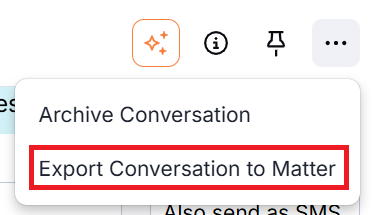
4. The full conversation history will be exported to a .csv file and saved to the matter document list.
Note: It is not possible to export conversations into a PDF. Once the .csv file has been saved to the matter, it can be opened in Excel and saved as a PDF.
Was this article helpful?
That’s Great!
Thank you for your feedback
Sorry! We couldn't be helpful
Thank you for your feedback
Feedback sent
We appreciate your effort and will try to fix the article