

If you wish to wrap up a conversation in the Messages tab, consider archiving it.
Table of Contents
- Getting Started
- Archive a conversation
- Finding archived conversations
- Restoring an archived conversation
Getting Started
Once a conversation has been archived, your clients will no longer be able to send new messages to the conversation. However, they can see a historical log of the old messages.
Conversations you can archive:
- Internal Matter Conversations
- External Matter Conversations
- Channels (group chat with other triConvey users)
- Direct Messages (conversations between triConvey users, that are not tied to a matter)
Archive a conversation
1. Select Messages from either the triConvey Desktop App or the triConvey Companion Site Web App.
2. Select the conversation to archive from the left menu.
3. Click on the Archive icon.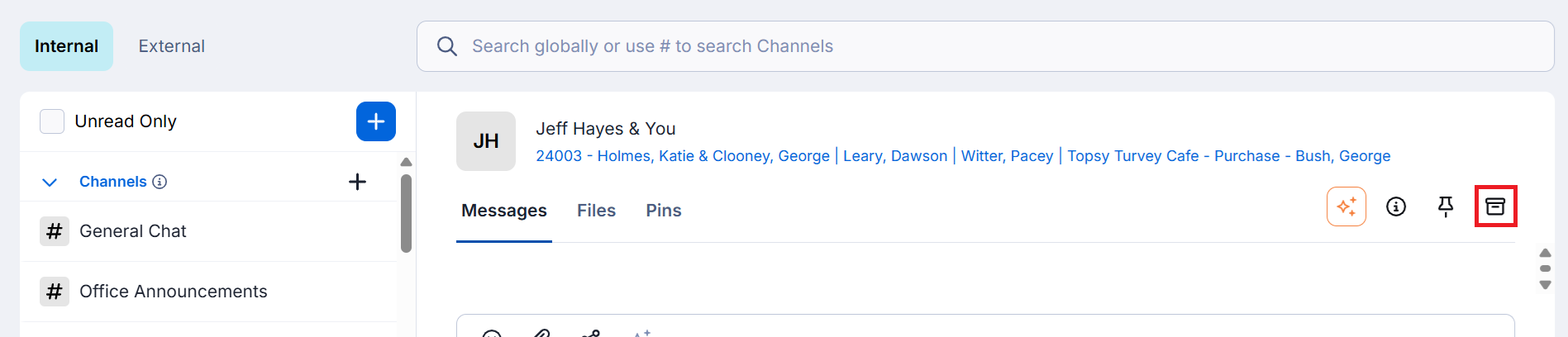
Finding archived conversations
Archived conversations appear under the Archived tab on the left menu.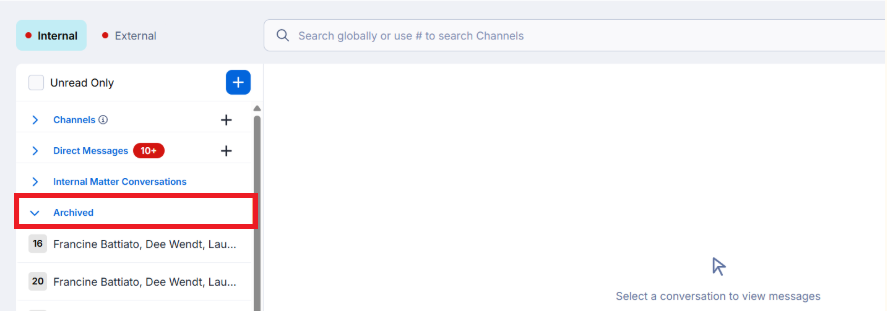
They also appear when using the search bar at the top of the Messages tab.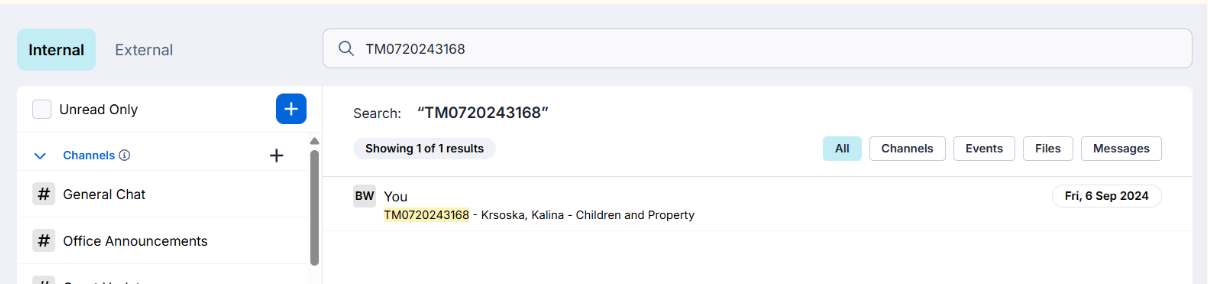
Restoring an archived conversation
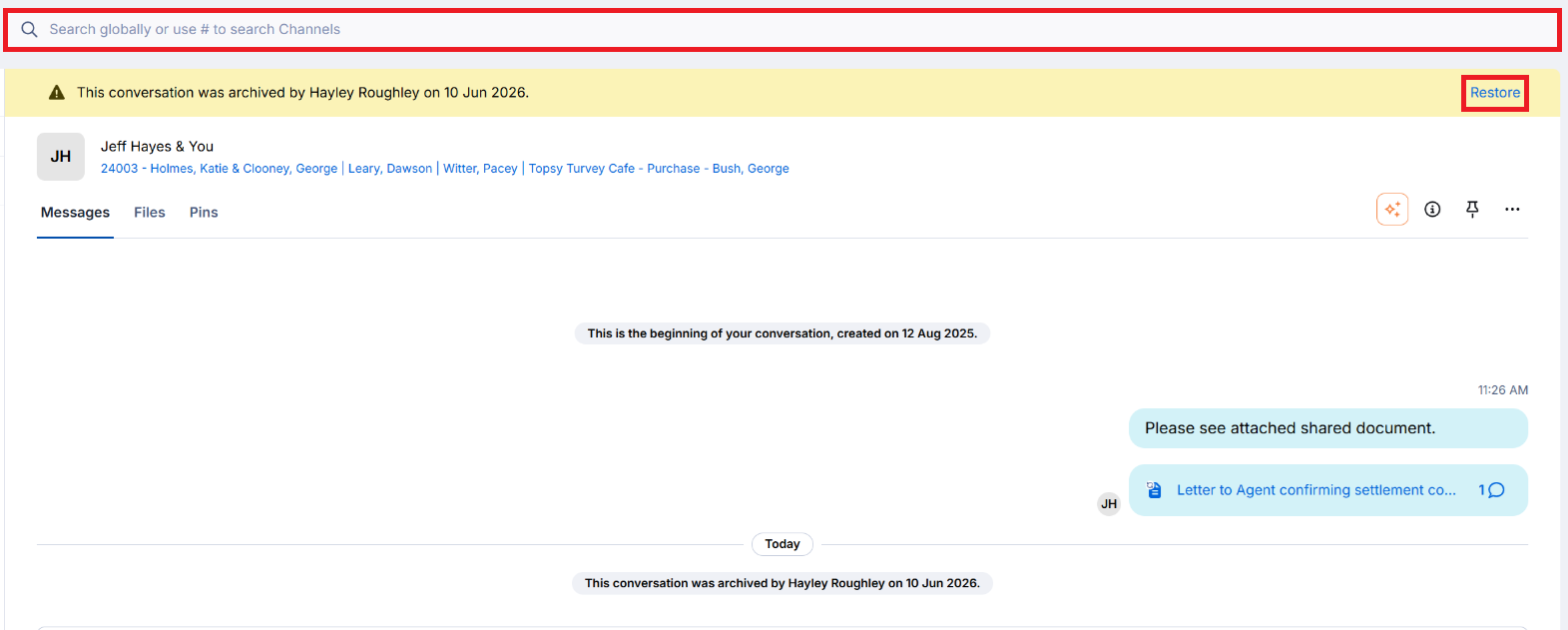
A yellow banner appears above archived conversations. Select Restore to un-archive the conversation.
Was this article helpful?
That’s Great!
Thank you for your feedback
Sorry! We couldn't be helpful
Thank you for your feedback
Feedback sent
We appreciate your effort and will try to fix the article