

If your firm uses triSearch to manage VOI requests, you can direct this flow to be completed within the triConvey Client Portal. This provides a seamless experience for your client so they don't have to access triSearch externally to complete VOI.
Table of Contents
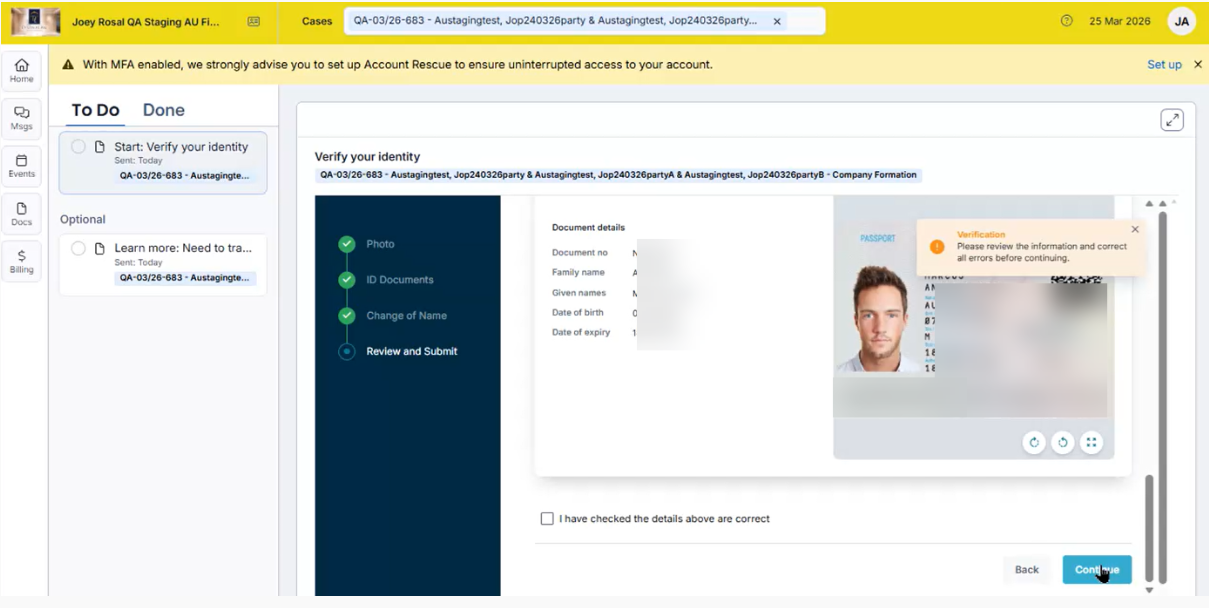
Getting Started
As our software is powered by Smokeball, references will be made to Smokeball instead of triConvey in some places.
Select which portal to use when sending the VOI
This feature is enabled on a per-matter basis.
1. Open the matter in triConvey where you would like to send VOI via the triConvey Client Portal.
2. Select the triSearch tab.
3. Navigate to triSearch Settings.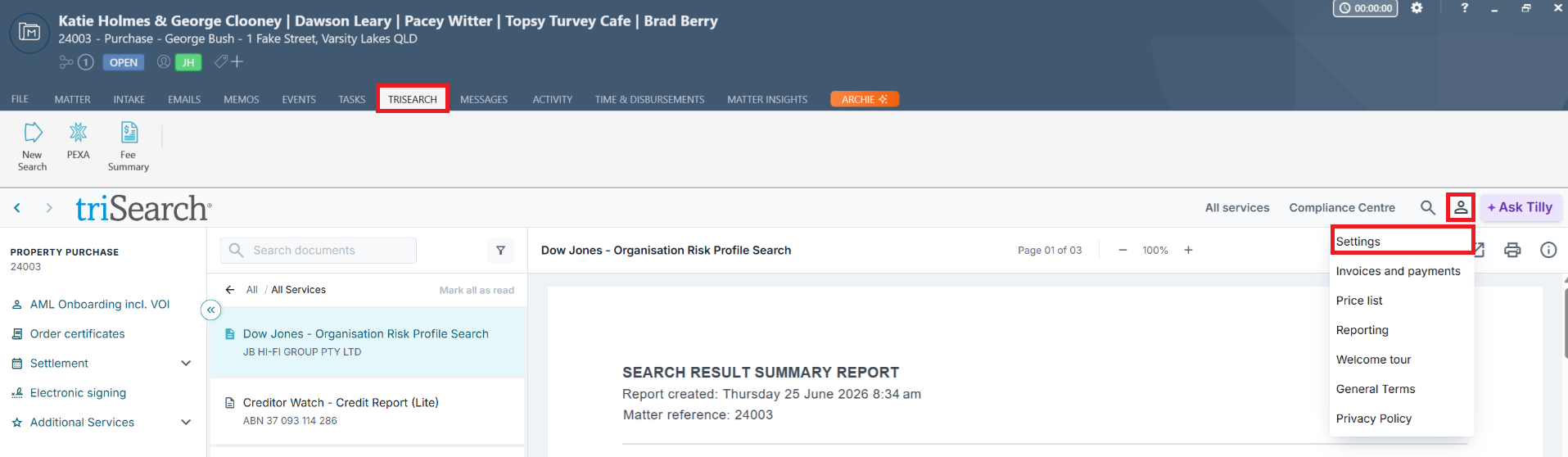
4. Ensure Preferences is selected on the left menu, then select the Admin tab.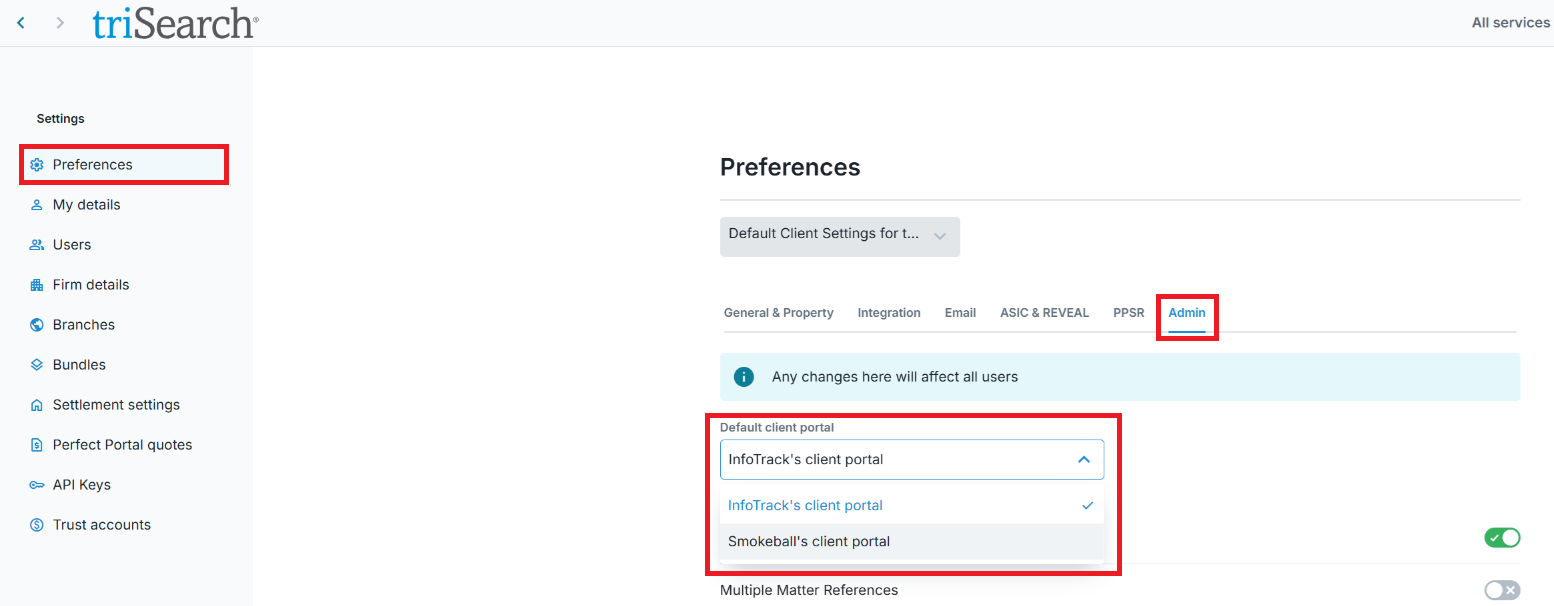
5. Under the Default client portal drop-down menu, select Smokeball's client portal.
Good to know
- Once set up, your client will receive requests and communications related to the VOI process via the triConvey Client Portal.
- What appears in your client's Client Portal when completing VOI is the triSearch VOI flow, embedded in the Client Portal. The entire VOI process is still managed by triSearch.
Was this article helpful?
That’s Great!
Thank you for your feedback
Sorry! We couldn't be helpful
Thank you for your feedback
Feedback sent
We appreciate your effort and will try to fix the article