

Learn how to use LawY, an AI-powered legal research assistant, to answer questions that involve substantive law.
Table of Contents
LawY overview

LawY excels at helping you with the following tasks:
- Conducting legal research
- Finding relevant case law
- Creating case summaries
- Comparing case law
- Drafting documents and clauses
- Creating checklists
Learn more about LawY on their website and the LawY User Guide.
Get started with LawY
1. Open a matter in the triConvey Desktop App or triConvey Companion Site Web App.
2. Select the Archie tab.
3. Select Legal Question located on the top-left corner.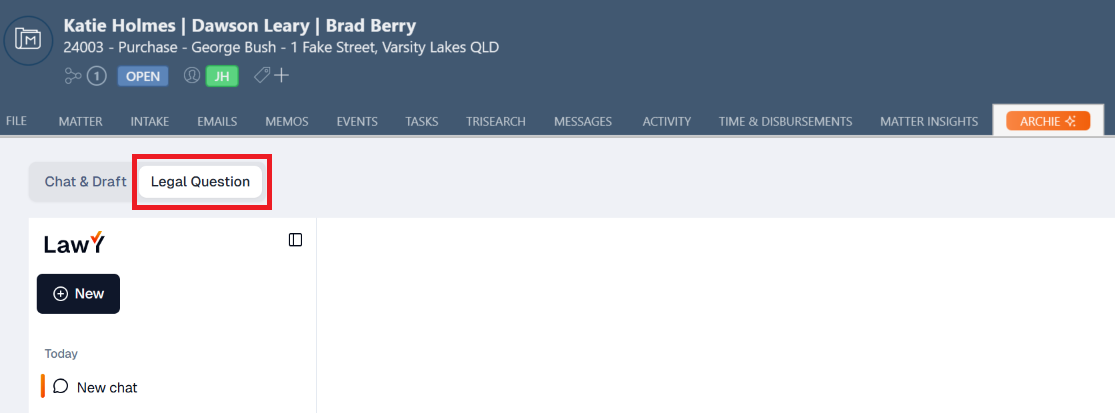
4. Type your query in the LawY chat box.
Tip: LawY is automatically configured according to the matter's practice area. For example, on a Residential Purchase matter, the LawY chat box prompt will display "Ask anything about "Purchase"..."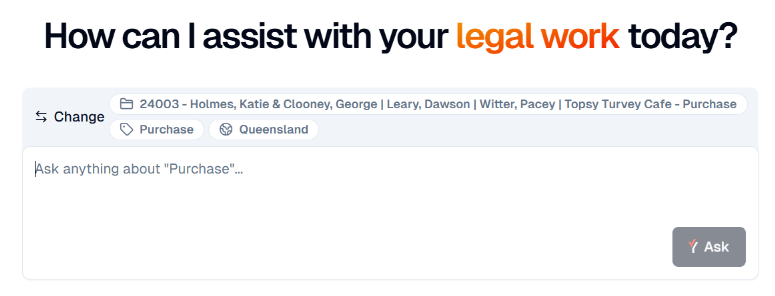
5. LawY will generate an answer to your query.
Tip: The time it takes to generate an answer will vary depending on the query.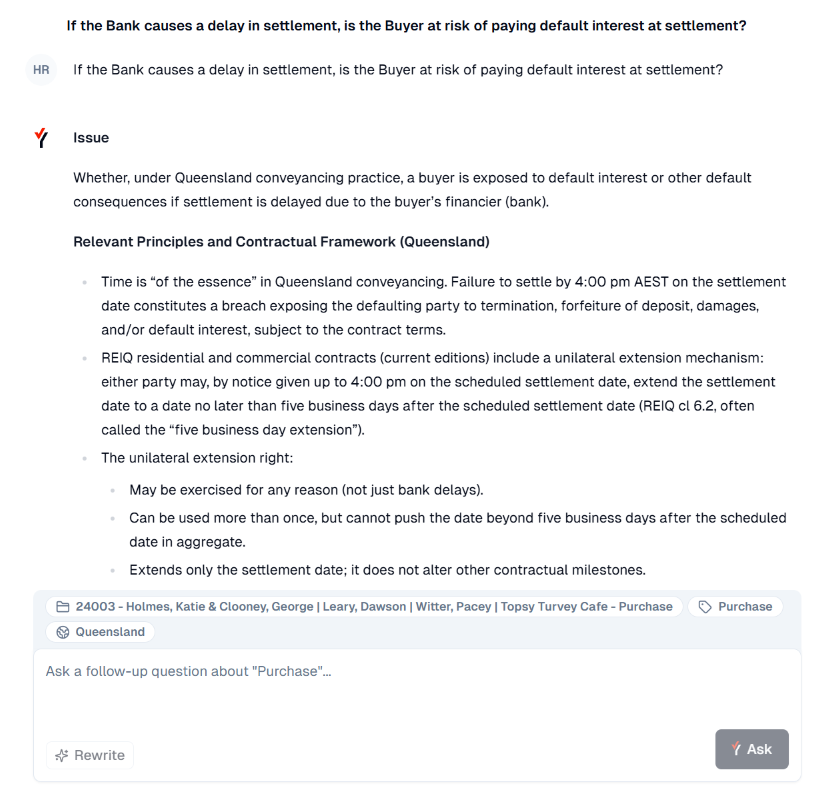
6. At the bottom of the response, you can view links to resources LawY considered, along with suggested follow-up questions you could ask. Click on the follow-up question to run it in the same conversation.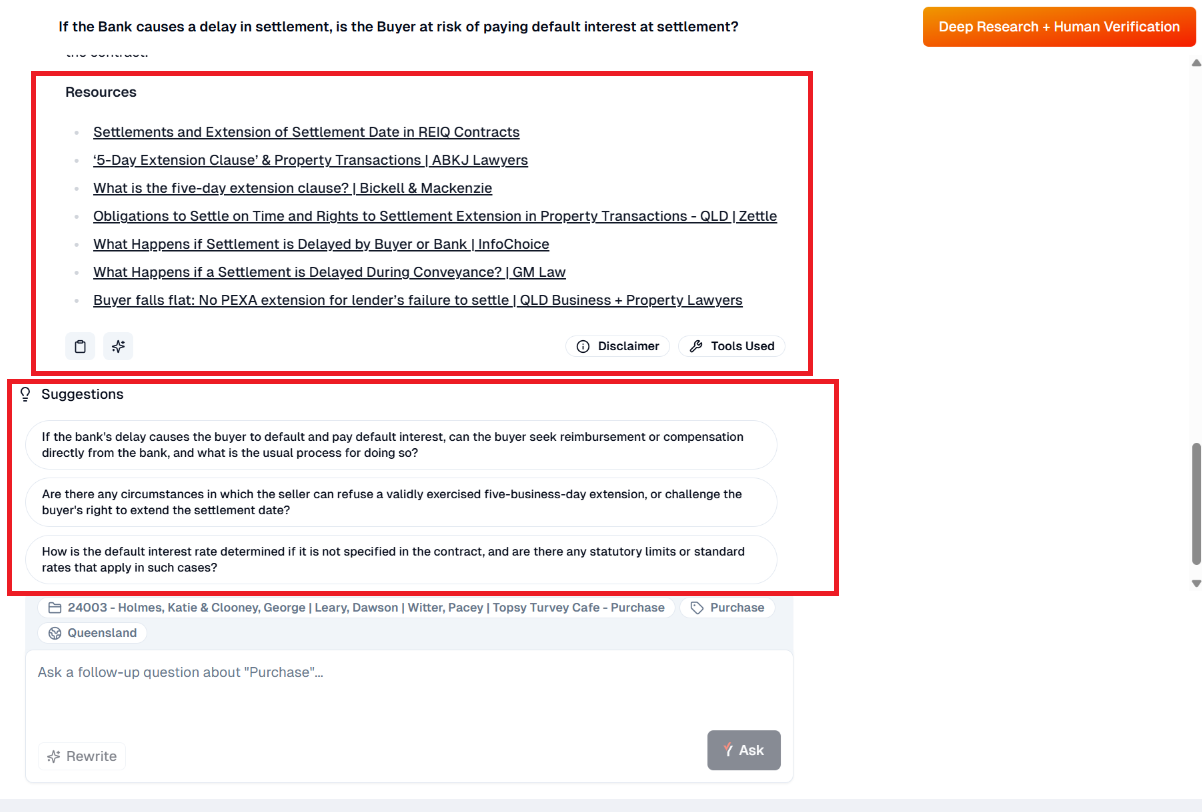
LawY is also integrated directly into Archie; if you enter a legal research oriented question in Archie, it will identify whether or not you would like to use LawY to answer the question, or to proceed with Archie.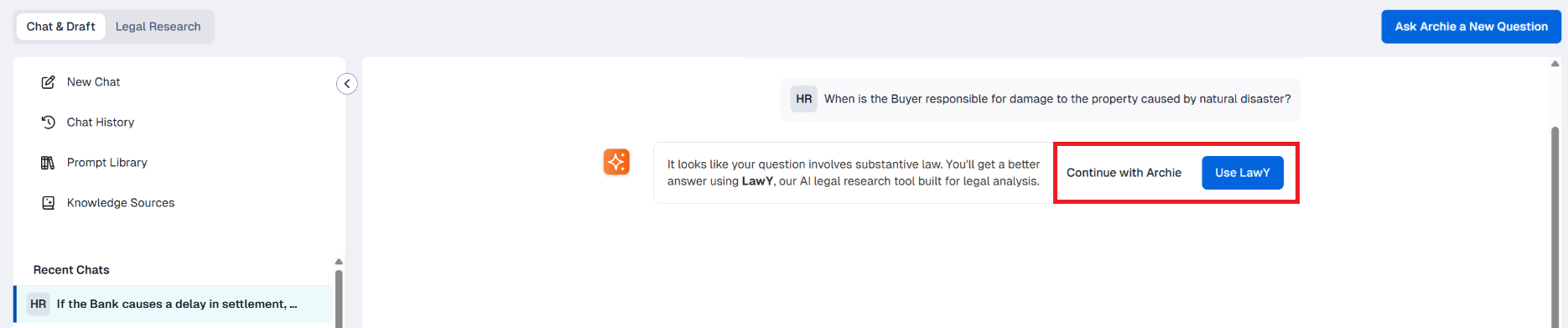
Using LawY Deep Research
If you wish to validate an answer or would like to do further research on it, select Deep Research.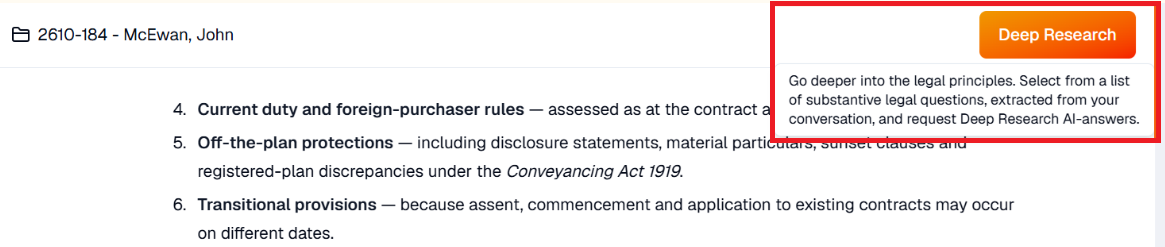
A panel will open from the right-hand-side of the screen, where LawY will display recommended follow-up questions. Tick the questions you want to research, and/or add your own question and select Submit. You can also edit the questions by clicking on the Pencil icon.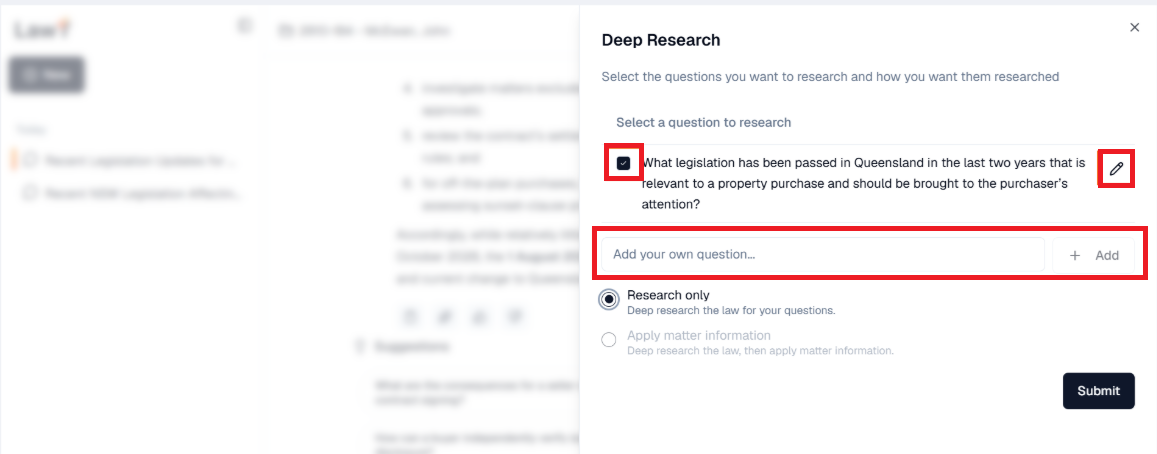
With Deep Research, LawY uses the newest and latest AI tools and models to conduct more research into your questions and facts. It will take approximately an hour to come back with its findings, and you can access this from the Deep Research tab on the left panel once it's ready.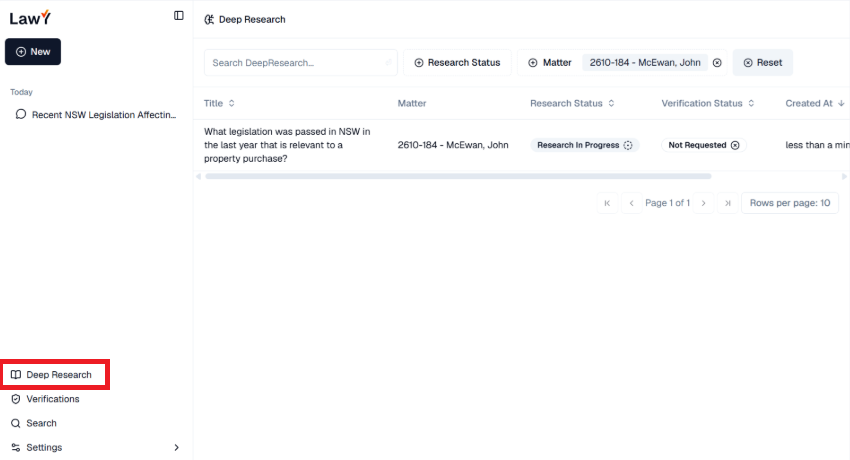
Frequently Asked Questions
LawY excels at providing general matter information tailored to a Practice Area and case law, while Archie excels at using facts and documents that encompass the full context of your matter.
By using LawY, you must ensure that you thoroughly read, understand and check the accuracy of all generated answers before using them in your work.
Was this article helpful?
That’s Great!
Thank you for your feedback
Sorry! We couldn't be helpful
Thank you for your feedback
Feedback sent
We appreciate your effort and will try to fix the article