

In this article, learn how you can use Archie to create tasks, memos and events for the matter you're currently working in. With a single prompt, you can delegate tedious admin work to Archie without interrupting your workflow.
Table of Contents
Asking Archie to create a task
When you ask Archie to create a task for you, it will prepare a draft task for you to review before saving it to the matter. In the draft task, you have the opportunity to make any changes such as:
- Editing the Subject and Notes
- Changing the Due Date and Assignee
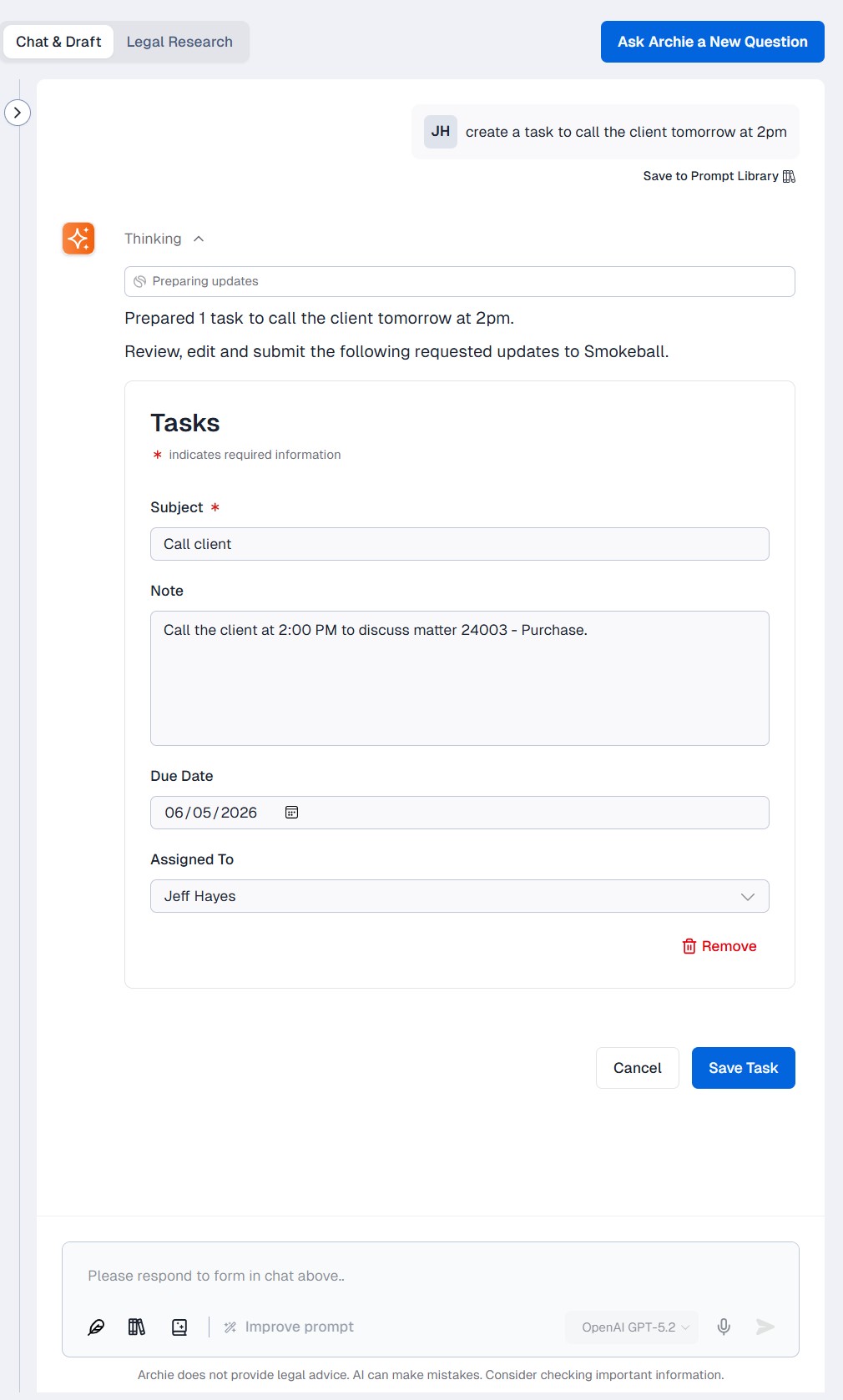
Selecting Save Task will create the task in the Tasks tab of the matter, along with a confirmation message in Archie that the task has been created.
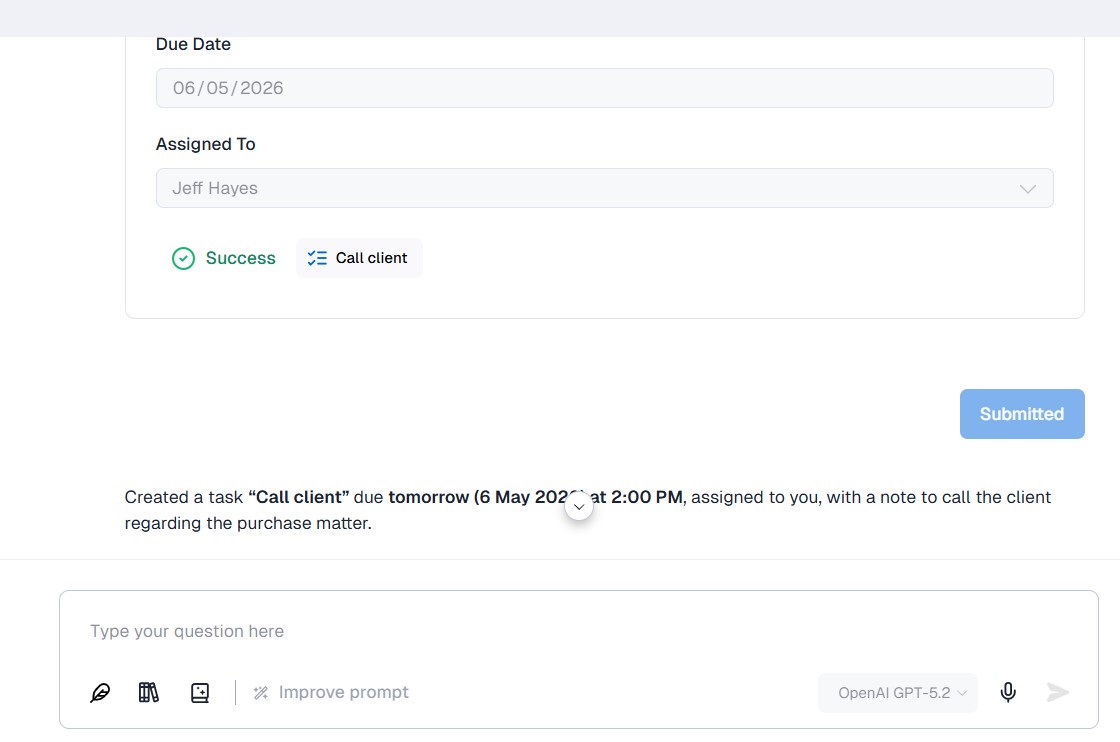
Asking Archie to create a memo
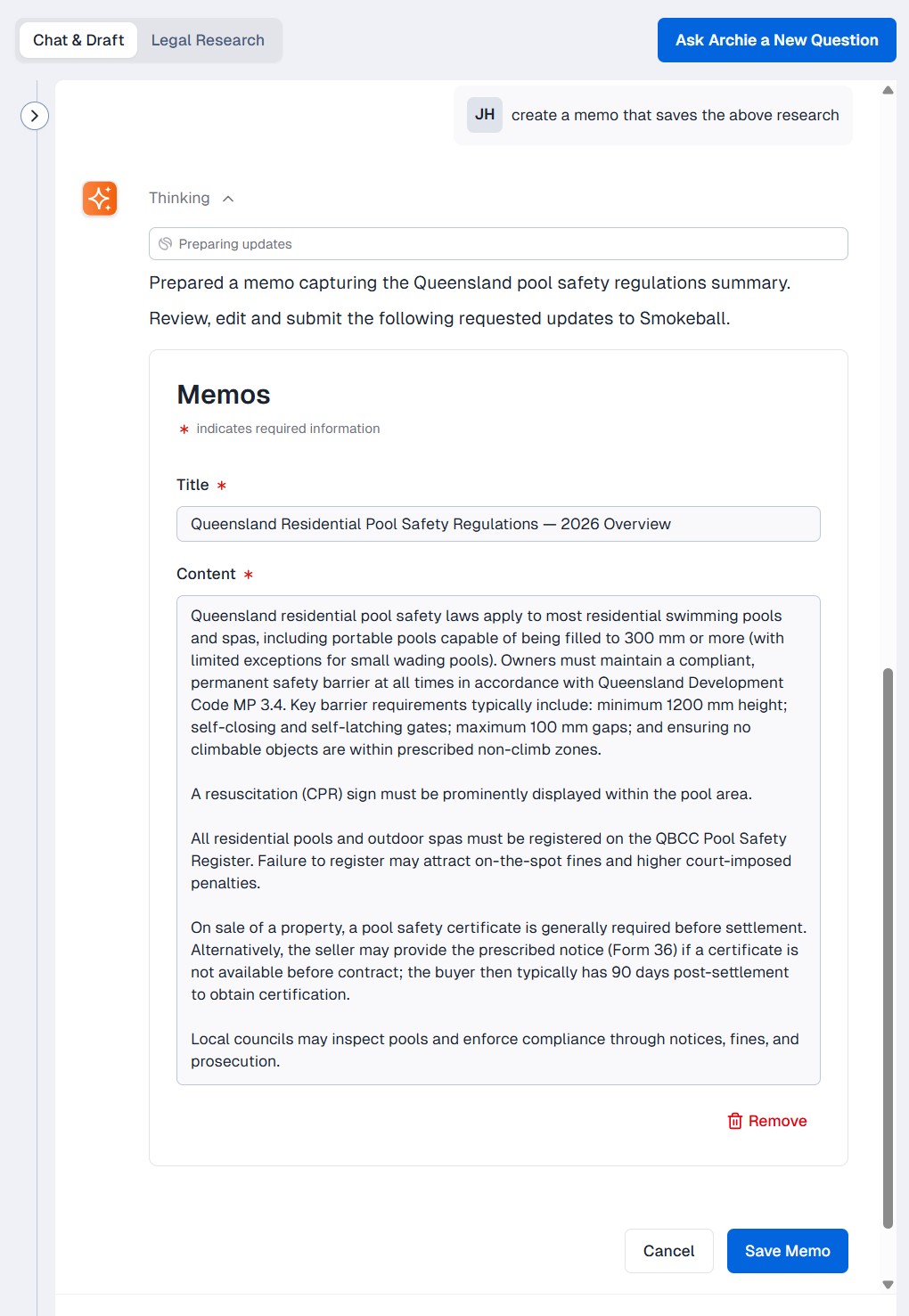
If you have been using Archie for matter research, you can ask it to capture your work in a memo. You have the opportunity to edit the memo before saving it to the matter.
Asking Archie to create an event
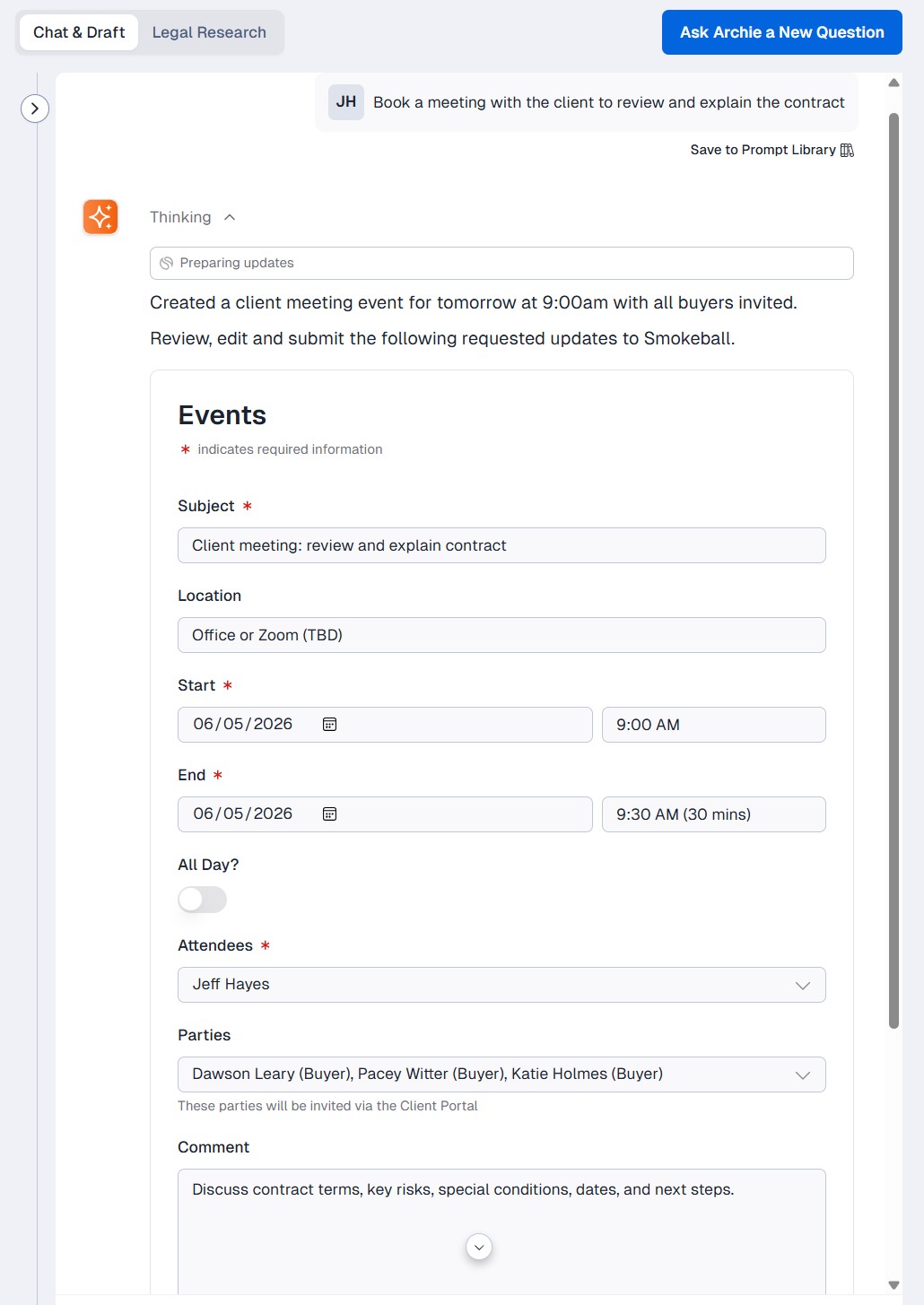
Archie can draft an event for your triConvey calendar when asked, saving you the time needed to create one from scratch. It understands that phrases like "Create an event..." and "Book a meeting..." are prompts to draft an event.
You have the opportunity to edit any event details before saving it to your calendar, however Archie currently cannot include attachments or reminders. Full workflow automation is also not yet supported.
Was this article helpful?
That’s Great!
Thank you for your feedback
Sorry! We couldn't be helpful
Thank you for your feedback
Feedback sent
We appreciate your effort and will try to fix the article